Tag: Shopify Website Development

  • How to improve website loading speed

    How to improve website loading speed

    Website loading speed is one of the most critical factors that determine user experience, search engine rankings, and conversion rates. In today’s competitive online world, even a delay of one second can drastically reduce engagement and sales. Whether you are a brand, a growing startup, or a digital marketing agency, maximizing your site’s performance should be a top priority. This guide will help you understand practical, actionable steps to improve website loading speed and enhance overall performance.
    website loading speed

    Businesses across India—especially companies partnering with the best digital marketing agency Hyderabad, the best performance marketing agency in India, or a professional website development company—prioritize speed optimization because it directly influences SEO and PPC campaign ROI. Website speed is also a major factor considered by the Best SEO agency in India when optimizing organic rankings.


    1. Optimize Website Images

    High-resolution images often contribute to slow website performance. To improve loading speed:

    • Compress images using tools like TinyPNG or ImageOptim.
    • Use next-gen formats like WebP for faster rendering.
    • Resize images to the exact dimensions required.
    • Implement lazy loading so images load only when users scroll down.

    A good website development company always ensures images are properly optimized before deployment to maintain fast performance.


    2. Enable Browser Caching

    Browser caching stores parts of your website locally on a visitor’s device. This means repeat visitors enjoy faster load times as the browser doesn’t need to fetch every file again.

    You can set caching headers like:

    • Cache-Control
    • Expires

    Platforms like WordPress allow easy caching setup through plugins such as WP Rocket or W3 Total Cache. Many digital marketing agencies also set up advanced caching systems to support ad landing page load speed.


    3. Minify CSS, JavaScript, and HTML

    Minification reduces unnecessary characters such as spaces, comments, and line breaks. This makes your code lighter and improves load times.

    Tools you can use include:

    • CSSNano
    • UglifyJS
    • HTMLMinifier

    The best performance marketing agency in India usually stresses code optimization because slow websites bring low-quality scores in Google Ads, increasing CPC dramatically.


    4. Use a Content Delivery Network (CDN)

    A CDN delivers website content from servers closest to the user. This reduces latency and speeds up website loading worldwide.

    Popular CDNs include:

    • Cloudflare
    • Amazon CloudFront
    • Akamai

    If your business targets audiences across different regions, CDNs are a must. Even the best digital marketing agency Hyderabad recommends CDN integration for clients with national and international traffic.


    5. Optimize Server Performance

    Your hosting provider plays a massive role in determining site speed. Consider upgrading to:

    • SSD-based hosting
    • VPS or dedicated servers
    • Cloud hosting like AWS, Google Cloud, or DigitalOcean

    A website development company with technical expertise can optimize your server configuration and ensure minimal downtime and maximum performance.


    6. Reduce HTTP Requests

    Each file—image, script, stylesheet—requires an HTTP request. Too many requests slow down your page. To reduce them:

    • Combine CSS and JS files
    • Use CSS sprites
    • Remove unused themes, plugins, and scripts
    • Reduce animations and heavy UI elements

    Reducing HTTP requests significantly improves both mobile and desktop load times.


    7. Implement Lazy Loading for Media

    Lazy loading prevents your website from loading all images, videos, and iframes at once. Instead, they load as users scroll. This can drastically reduce initial load time and improve Core Web Vitals—an important ranking signal according to the Best SEO agency in India.


    8. Use GZIP or Brotli Compression

    Compression reduces the size of your files before sending them to a user’s browser. GZIP is common, but Brotli is even more efficient for modern browsers.

    Enabled compression ensures faster data transfer and smoother browsing.


    9. Clean and Optimize Your Database

    For CMS platforms like WordPress:

    • Remove unused data
    • Delete post revisions
    • Clean spam comments
    • Remove unnecessary plugins

    Database optimization keeps your website lightweight and improves performance over time.


    10. Improve Mobile Speed

    More than 70% of users browse websites through mobile. To optimize mobile performance:

    • Use responsive design
    • Compress mobile images even more
    • Avoid heavy pop-ups
    • Enable AMP (optional)

    Even the best performance marketing agency in India reinforces mobile-first performance because mobile speed impacts both SEO and paid ad success.


    Conclusion

    Improving website loading speed is not optional—it’s essential. Faster websites lead to better SEO, higher conversions, stronger brand authority, and improved user satisfaction. Whether you’re working with the best digital marketing agency Hyderabad, a specialized website development company, or the Best SEO agency in India, implementing the techniques above will help you achieve world-class website performance.

    If you need help optimizing your site, boosting conversions, or enhancing SEO, partnering with a professional digital marketing agency can make the process smooth and result-driven.

    digital marketing agency, best digital marketing agency hyderabad, best performance marketing agency in india, website development company, Best SEO agency in india, Best Shopify development company In India


  • How to implement website personalization features

    How to implement website personalization features

    In today’s competitive digital landscape, a website must do more than just look good—it needs to deliver personalized experiences for users. Website personalization means showing tailored content, product recommendations, messages, and layouts based on user behavior, interests, and demographics. Whether you are a digital marketing agency, an ecommerce brand, or a website development company, personalization is now essential to boosting engagement, conversions, and customer retention.

    website personalization

    Top players like the best digital marketing agency Hyderabad, the best performance marketing agency in India, and even the Best SEO agency in India rely heavily on personalization to achieve better ROI for their clients. Here’s a complete guide on how you can implement effective website personalization features on your website.


    1. Understand the Purpose of Personalization

    Before implementing personalization tools, you must clearly understand why you want to personalize your website. Common goals include:

    • Increasing user engagement
    • Improving lead generation
    • Enhancing customer journeys
    • Boosting product or service sales
    • Reducing bounce rates

    A good digital marketing agency starts by mapping user behavior and creating customer personas based on data. This allows you to implement the right kind of personalization—whether it’s content-based, behavior-based, or location-based.


    2. Use Analytics Tools to Gather User Data

    Personalization works only if you have the right data. Start by integrating powerful analytics platforms such as:

    • Google Analytics
    • CRM systems
    • Marketing automation tools
    • Heatmap tools
    • First-party cookies and tracking pixels

    A website development company can help implement advanced tracking scripts that collect user behavior such as page visits, time spent, clicks, scroll depth, and conversion actions. This data becomes the foundation of your personalization strategy.


    3. Segment Your Audience for Better Targeting

    Different users behave differently. Segmentation allows you to serve the right content to the right user. You can segment based on:

    • Demographics: age, gender, location
    • Behavior: returning visitor, first-time visitor
    • Purchase intent: abandoned cart users, engaged users
    • Traffic source: social media, organic, paid ad

    Top-level agencies like the Best SEO agency in India use segmentation to create relevant content blocks, personalized messages, and targeted offers across the website.


    4. Implement Dynamic Content Personalization

    Dynamic content is one of the most powerful website personalization features. This includes:

    a. Personalized Banners

    Show different hero banners to users based on their interests or past interactions.

    b. Product or Service Recommendations

    If you are an ecommerce website, display recommended products based on browsing or purchase history.

    c. Customized Landing Pages

    Visitors coming from Google Ads or Facebook Ads should see landing pages tailored to their ad journey.

    A best performance marketing agency in India always focuses on dynamic landing pages to maximize conversions.


    5. Use AI and Machine Learning Tools

    AI-driven personalization is the future. Tools like web personalization engines, AI chatbots, and recommendation algorithms analyze large amounts of user data in real time to deliver:

    • Tailored content suggestions
    • Personalized chatbot responses
    • Smart product sorting
    • Predictive search results

    A modern digital marketing agency will integrate AI tools during website development to improve user experience and reduce friction.


    6. Implement Personalization Through Cookies and User Accounts

    Cookies help track user preferences, while login-based personalization creates highly customized experiences.

    Cookie-Based Personalization Includes:

    • Remembering previously viewed items
    • Showing targeted pop-ups
    • Saving user preferences
    • Delivering location-based recommendations

    Account-Based Personalization Includes:

    • Dashboard customization
    • Personalized notifications
    • User-specific offers
    • Saved wishlists and abandoned cart syncing

    These features significantly boost customer engagement and retention, especially for ecommerce platforms.


    7. Leverage A/B Testing to Optimize Personalization

    Personalization should not be a one-time setup. Tools like Google Optimize or CRO platforms help you test different variations of:

    • CTAs
    • Layouts
    • Colors
    • Messages
    • Recommendations

    Even the best digital marketing agency Hyderabad uses A/B testing to measure which personalized elements perform best and then scales them for higher ROI.


    8. Add Chatbots and Smart Pop-Ups

    Smart pop-ups appear based on user behavior—exit intent, scroll depth, or time on page. They can offer:

    • Discounts
    • Lead forms
    • Offers based on browsing history

    AI chatbots can identify user intent and provide personalized product suggestions, solving queries instantly.


    9. Ensure Privacy and GDPR Compliance

    While personalization relies heavily on user data, transparency is crucial.

    • Display cookie consent banners
    • Allow users to control data preferences
    • Mention how data is used
    • Avoid collecting unnecessary data

    A responsible website development company ensures that all personalization features comply with security and privacy requirements.


    Conclusion

    Implementing website personalization features is one of the most effective ways to improve user engagement, conversions, and brand loyalty. By combining user data, AI tools, dynamic content, and behavior-based targeting, your website can offer a unique experience to every visitor. Whether you are a digital marketing agency, a website development company, or aiming to become the best performance marketing agency in India, personalization will give you a strong competitive advantage. And with the strategic support of experts like the best digital marketing agency Hyderabad or the Best SEO agency in India, you can build a high-performing website that delivers exceptional results.

    digital marketing agency, best digital marketing agency hyderabad, best performance marketing agency in india, website development company, Best SEO agency in india, Best Shopify development company In India

  • How to implement website caching for performance

    How to implement website caching for performance

    Website performance is one of the most critical factors that influence user experience, SEO rankings, and overall digital success. Whether you run a blog, an e-commerce store, or a services platform, implementing effective website caching can dramatically improve loading speed. As a website development company or a digital marketing agency, adopting caching best practices is essential to delivering high-performing websites for clients. Even top firms like the best digital marketing agency Hyderabad, the best performance marketing agency in India, and the Best SEO agency in India rely heavily on caching to boost site performance and conversions.

    website caching for performance

    What is Website Caching?

    Website caching is the process of storing frequently accessed data — such as HTML pages, images, scripts, or database queries — so that it can be delivered quickly the next time a user requests it. Instead of generating a fresh response every time, the server or browser uses a saved copy, significantly reducing load time and server workload.

    Caching is one of the easiest and most cost-effective performance optimization methods, and when implemented correctly, it can speed up load times by several seconds.


    Types of Website Caching

    To implement caching effectively, you must understand the types:

    1. Browser Cache

    Browser caching stores static files—CSS, JavaScript, images—on the user’s device. This ensures that repeat visitors experience faster load times because their browser doesn’t need to download everything again.

    2. Server-Side Cache

    This form of caching stores pre-processed website data on the server itself. It can include full-page caching, object caching, and opcode caching. A good website development company will always include server-side caching in its performance stack.

    3. CDN (Content Delivery Network) Cache

    A CDN stores cached versions of your website across global servers. When a user visits your site, they receive data from the nearest location, reducing latency.

    4. Database Cache

    Database caching stores repeated database queries in memory, helping dynamic websites like WordPress, Shopify, and custom platforms run much faster.


    How to Implement Website Caching for Maximum Performance

    1. Enable Browser Caching with Cache-Control Headers

    Browser caching is implemented through HTTP headers like Cache-Control, Expires, and ETag. These headers define how long the browser should store certain files.

    For example:

    Cache-Control: max-age=31536000, public
    

    This tells the browser to store the file for one year.

    A digital marketing agency that focuses on technical SEO will always configure these headers because Google rewards faster websites with better rankings.


    2. Use Full-Page Caching

    Full-page caching generates a static HTML version of your website so that the server doesn’t need to recreate it with each visit. Platforms like WordPress offer plugins such as:

    • WP Super Cache
    • W3 Total Cache
    • WP Rocket

    A Best SEO agency in India will always recommend full-page caching for websites with high traffic.


    3. Implement Object Caching

    Object caching saves repeated database queries. Tools like Redis or Memcached help store database results in RAM, making retrieval ultra-fast.

    This is especially helpful for:

    • E-commerce stores
    • Membership websites
    • High-traffic blogs

    Top firms like the best performance marketing agency in India use object caching because faster sites lead to better ad performance and higher conversion rates.


    4. Use a CDN for Global Caching

    Services like Cloudflare, Akamai, and AWS CloudFront allow you to store copies of your site across hundreds of global servers.

    Benefits of CDN caching include:

    • Lower latency
    • Faster load times worldwide
    • Protection against traffic spikes

    Many brands hire the best digital marketing agency Hyderabad to integrate CDN caching as part of performance optimization.


    5. Enable Opcode Caching on Your Server

    Opcode caching (like OPcache for PHP) stores precompiled script code to avoid reprocessing it each time.

    Most good hosting providers support OPcache by default. Ensuring it is enabled can reduce backend load significantly.


    6. Use Caching Plugins (For WordPress Websites)

    Plugins like WP Rocket, LiteSpeed Cache, and W3 Total Cache automate caching and provide advanced features such as:

    • Minification
    • Preloading
    • GZIP compression

    A website development company often uses these plugins to enhance website speed effortlessly.


    7. Optimize Cache Invalidation Rules

    While caching accelerates performance, outdated cached content can be problematic. Implement proper invalidation rules to ensure:

    • Updated pages refresh immediately
    • Product prices stay accurate
    • Blog posts show the latest data

    Cache invalidation ensures a balance between speed and accuracy.


    Why Caching Matters for SEO and Digital Marketing

    Sites that load faster rank higher in Google search results. This is why top agencies like the Best SEO agency in India always emphasize caching as a major part of technical SEO.

    Benefits include:

    • Higher search engine rankings
    • Lower bounce rates
    • Better user experience
    • Improved ad performance
    • Higher conversions

    A slow website can increase bounce rates, reducing your ROI from digital ads. This is why the best performance marketing agency in India always ensures cache optimization before running large ad campaigns.


    Conclusion

    Implementing website caching is essential for achieving fast, reliable, and high-performing websites. Whether you’re a brand owner or part of a digital marketing agency, effective caching ensures better SEO, better ad performance, and an enhanced user experience. From browser caching to CDN caching, database caching, and full-page caching, each technique plays an important role in building a lightning-fast website.

    If you want expert help in implementing caching and boosting performance, partnering with a professional website development company, the best digital marketing agency Hyderabad, or the Best SEO agency in India can ensure your site is optimized to its maximum potential.

    digital marketing agency, best digital marketing agency hyderabad, best performance marketing agency in india, website development company, Best SEO agency in india, Best Shopify development company In India

  • How to implement user authentication on a website

    How to implement user authentication on a website

    authentication on a website: In today’s digital-first world, user authentication is one of the most essential components of website security. Whether you are a website development company, a digital marketing agency, or a brand managing an online portal, securing user data must always be a top priority. As cyber threats rise, businesses—especially those offering customer portals, e-commerce platforms, and membership-based services—need robust authentication systems that ensure safety and seamless user experience.

    authentication on a website

    This guide explains how to implement user authentication on any website, covering best practices, tools, and techniques. The insights are also extremely beneficial for companies aiming to establish themselves as the best digital marketing agency Hyderabad, the best performance marketing agency in India, or the Best SEO agency in India, as secure websites improve trust, conversions, and search rankings.


    1. Understand the Importance of User Authentication

    User authentication verifies a person’s identity before granting access to protected areas of a website. It prevents unauthorized users from accessing sensitive data such as personal details, payment information, or business dashboards.

    A secure authentication system helps:

    • Protect user accounts
    • Ensure data privacy
    • Reduce website vulnerabilities
    • Boost credibility among customers
    • Improve SEO, as search engines trust secure websites

    For agencies like the best performance marketing agency in India, enabling secure logins ensures smoother campaign dashboards and safer client data storage.


    2. Choose the Right Authentication Method

    Different websites require different levels of security. Here are the most commonly used authentication methods:

    a. Password-Based Authentication

    The simplest method where users log in using an email/username and password. While easy to implement, it must be paired with strong security practices like hashing.

    b. Two-Factor Authentication (2FA)

    Adds an extra layer of protection by requiring a code sent via SMS, email, or an authenticator app.

    c. OAuth / Social Login

    Login using platforms like Google Sign-In or Facebook Login. It improves user experience and reduces password fatigue.

    d. Biometric Authentication

    Uses fingerprints or face recognition—ideal for mobile apps and high-security systems.


    3. Use Secure Password Storage Techniques

    Storing plain-text passwords is the biggest security mistake a website can make. A professional website development company will always implement:

    • Hashing: Using algorithms like bcrypt or Argon2
    • Salting: Adding random data to make hashes unique
    • Peppering: Adding server-side security values

    These ensure that even if your database is compromised, the credentials remain unreadable.


    4. Use HTTPS and SSL Certificates

    Authentication should never happen over an insecure connection. Using HTTPS ensures encrypted communication between the user and server.

    To implement HTTPS, install an SSL certificate. Most hosting providers offer free SSL via Let’s Encrypt.

    HTTPS not only protects user logins but also boosts SEO rankings—essential for businesses aspiring to be the Best SEO agency in India.


    5. Build a Secure Login and Signup System

    A secure login system includes:

    a. Input Validation

    Make sure fields like email and password accept only valid formats. This prevents attacks such as SQL injection.

    b. Rate Limiting

    Block or delay multiple failed login attempts to stop brute-force attacks.

    c. Account Lockout Policies

    Temporarily block accounts after repeated incorrect attempts.

    d. CAPTCHA Integration

    Use tools like Google reCAPTCHA to distinguish real users from bots.


    6. Implement Session Management Properly

    Once a user logs in, the website creates a session to keep them authenticated. Ensure that:

    • Session IDs are long and random
    • Sessions expire after inactivity
    • Cookies are marked as HttpOnly and Secure
    • Logout function destroys the session completely

    Good session management prevents impersonation and session hijacking.


    7. Use Authentication Libraries and Frameworks

    Most modern frameworks provide built-in and secure authentication modules.

    Examples include:

    • Laravel Auth (PHP)
    • Django Authentication (Python)
    • Spring Security (Java)
    • NextAuth.js (Next.js)

    Using trusted libraries reduces development time and security risk—crucial for agencies with multiple client projects.


    8. Test Your Authentication System

    Before going live:

    • Conduct penetration testing
    • Use vulnerability scanners
    • Test for SQL injection and cross-site scripting
    • Validate password policy enforcement
    • Check login, logout, and session expiry

    A secure system improves user trust—something every digital marketing agency and website development company must prioritize.


    9. Maintain and Update Your Authentication System

    Security evolves constantly. Regularly update:

    • Frameworks
    • Plugins
    • Authentication libraries
    • Server software

    Also, monitor logs to detect suspicious activities early.


    Conclusion

    Implementing robust user authentication is essential for web security, business credibility, and SEO success. Whether you’re scaling your brand as a digital marketing agency, a website development company, the best digital marketing agency Hyderabad, or the best performance marketing agency in India, secure authentication strengthens trust and enhances user experience. By following best practices—SSL, hashed passwords, session security, and modern authentication tools—you create a website that is safe, reliable, and future-ready..

    digital marketing agency, best digital marketing agency hyderabad, best performance marketing agency in india, website development company, Best SEO agency in india, Best Shopify development company In India

  • How to implement SSL certificates for website security

    How to implement SSL certificates for website security

    In today’s digital world, website security is no longer optional—it’s a necessity. Whether you are a digital marketing agency, a website development company, an e-commerce brand, or a local business, securing your website with an SSL certificate is crucial for protecting user data, improving SEO rankings, and building trust. Even the best digital marketing agency Hyderabad or the best performance marketing agency in India strongly recommends SSL as the first step toward a fully secured website. Search engines like Google also prefer HTTPS-enabled websites, which is why the Best SEO agency in India always prioritizes SSL implementation.

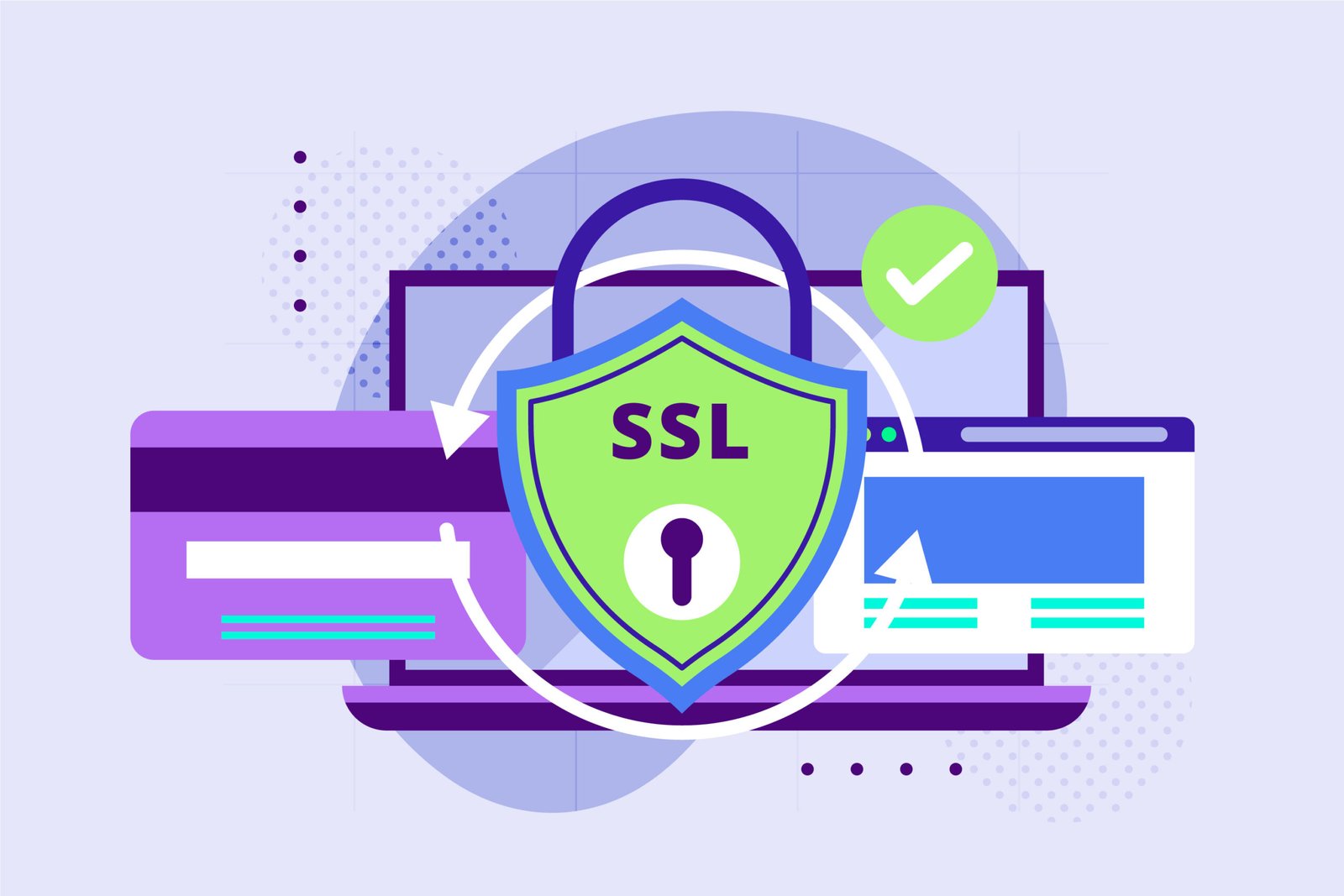
    SSL certificates

    This guide explains what SSL is, why it matters, and how to implement SSL certificates step-by-step to safeguard your website.


    What Is an SSL Certificate?

    SSL (Secure Sockets Layer) is a digital certificate that encrypts communication between a user’s browser and your website. When SSL is active, your URL changes from HTTP to HTTPS, and a secure padlock appears in the browser. This ensures that sensitive information—such as passwords, payment details, or personal information—cannot be stolen by hackers.


    Why SSL Certificates Matter for Website Security

    1. Data Encryption

    SSL ensures that all information shared on your website is encrypted, making it unreadable to attackers.

    2. Builds User Trust

    Users trust websites that display the secure padlock symbol. A secure site increases conversions and reduces bounce rates.

    3. SEO Advantage

    Google considers HTTPS as a ranking factor. The Best SEO agency in India always emphasizes SSL implementation to boost search ranking and organic traffic.

    4. Security for Payments & Forms

    E-commerce websites and lead-generation pages must have SSL to ensure secure transactions and form submissions.

    5. Protects Brand Reputation

    Websites without SSL show warnings such as “Not Secure”. This instantly reduces credibility—something no digital marketing agency wants for its clients.


    Types of SSL Certificates

    Before implementing SSL, choose the right certificate:

    1. Domain Validated (DV SSL)

    • Basic security
    • Suitable for small websites and blogs

    2. Organization Validated (OV SSL)

    • Higher level of authentication
    • Ideal for businesses and agencies

    3. Extended Validation (EV SSL)

    • Highest security level
    • Shows company name in the browser address bar
    • Ideal for enterprises, banks, and e-commerce brands

    A website development company usually helps businesses identify the right SSL based on security needs.


    How to Implement SSL Certificates: Step-by-Step Guide

    Step 1: Choose the Right SSL Certificate

    You can purchase SSL from:

    • Hosting providers
    • SSL authorities such as Comodo, DigiCert, or GlobalSign
    • Free options like Let’s Encrypt

    Even top agencies like the best performance marketing agency in India recommend Let’s Encrypt for startups and premium certificates for large websites.


    Step 2: Generate a CSR (Certificate Signing Request)

    You’ll need to generate a CSR from your hosting control panel (cPanel, Plesk, or DirectAdmin).
    This includes:

    • Domain name
    • Organization details
    • Country and location

    The hosting system creates two keys:

    • Private Key (keep this safe)
    • Public Key (shared via CSR)

    Step 3: Submit the CSR to Your SSL Provider

    After generating the CSR, submit it to the SSL certificate authority. They will validate your domain or business.
    Validation methods include:

    • Email verification
    • DNS record verification
    • File upload verification

    Step 4: Download and Install the SSL Certificate

    Once approved, download the SSL certificate files from the provider.
    Next, install them on your hosting server:

    • For cPanel → SSL/TLS section
    • For Plesk → Security section
    • For Cloud servers → Install using command line

    A website development company can assist if you’re unsure how to configure SSL manually.


    Step 5: Update Your Website to HTTPS

    After installation, force your website to load securely.

    Important updates:

    • Redirect all HTTP URLs to HTTPS using .htaccess or server rules
    • Update internal links
    • Update CDN URLs
    • Update sitemap with HTTPS
    • Resubmit your website to Google Search Console

    The Best SEO agency in India always ensures proper HTTPS migration so rankings are not affected.


    Step 6: Test Your SSL Certificate

    Use tools like:

    • SSL Checker
    • Qualys SSL Labs
    • WhyNoPadLock

    These tools help detect:

    • Mixed-content issues
    • Incomplete installations
    • Weak encryption protocols

    Best Practices After SSL Implementation

    • Renew your SSL certificate before it expires
    • Use HSTS for enhanced security
    • Apply secure cookies and disable unsafe protocols
    • Regularly scan for vulnerabilities

    A reliable digital marketing agency or tech partner can help maintain ongoing website security.


    Conclusion

    Implementing SSL certificates is one of the most essential steps to secure your website, protect user data, improve SEO, and boost credibility. Whether you are a business owner, a startup, or working with the best digital marketing agency Hyderabad, SSL ensures your website is safe and trusted by your audience. Even the best performance marketing agency in India or the Best SEO agency in India considers SSL as the foundation of online success.

    With the right SSL certificate, proper installation, and regular maintenance, your website stays protected and your visitors stay confident.

    digital marketing agency, best digital marketing agency hyderabad, best performance marketing agency in india, website development company, Best SEO agency in india, Best Shopify development company In India

  • How to implement infinite scrolling

    How to implement infinite scrolling

    Infinite scrolling has become one of the most popular web interface patterns for modern websites and applications. From social media feeds to product listing pages, endless content keeps users engaged without forcing them to click through multiple pages. As a digital marketing agency or a website development company, implementing infinite scroll correctly can significantly improve user experience, increase time spent on site, and enhance content consumption.

    infinite scrolling

    Even the best digital marketing agency Hyderabad, the best performance marketing agency in India, or the Best SEO agency in India will agree that when infinite scrolling is implemented well, it boosts engagement metrics — which are crucial for SEO, conversions, and ad performance. Here’s a complete guide on how to implement infinite scrolling effectively.


    What Is Infinite Scrolling?

    Infinite scrolling is a web design technique where new content automatically loads as the user scrolls down the page. Instead of clicking a “Next” button or navigating through pagination, users continuously explore more results in a seamless flow. It is widely used by platforms like Instagram, TikTok, Pinterest, and e-commerce stores that want customers to browse longer.


    Why Use Infinite Scrolling?

    Before implementing infinite scroll, it’s important to understand its benefits:

    1. Better User Experience

    Users prefer scrolling over clicking through pages. It feels natural, intuitive, and fast.

    2. Higher Engagement

    Endless content encourages users to stay longer, explore more pages, and interact deeper — which is useful for SEO and ad campaigns.

    3. Ideal for Mobile Users

    Scrolling works exceptionally well on mobile devices, improving overall accessibility and usability.

    4. Great for Visual and Content-heavy Websites

    Websites with images, blogs, or products benefit the most from this interface pattern.


    How to Implement Infinite Scrolling: Step-by-Step Guide

    1. Prepare Your Backend for Paginated Data

    Even though the front end appears seamless, the backend must deliver data in pages (batches).

    Steps:

    • Set up an API endpoint like /products?page=1&limit=20
    • Ensure your database queries return limited results
    • Include metadata such as totalItems, totalPages, and nextPage

    A good website development company ensures backend architecture is optimized before enabling front-end infinite scroll.


    2. Use JavaScript to Detect Scroll Position

    The core logic of infinite scrolling revolves around detecting when the user reaches near the bottom of the page. A popular approach uses the scroll event or modern browser features like the IntersectionObserver.

    Basic scroll detection logic:

    window.addEventListener("scroll", () => {
      if (window.innerHeight + window.scrollY >= document.body.offsetHeight - 200) {
        loadMoreData();
      }
    });
    

    This checks if the user is near the end of the page and then triggers a function to load additional content.


    3. Display a Loading Spinner

    Visual feedback ensures users know more content is loading. Without a loader, users may think the website is slow or frozen — affecting your UX and SEO.


    4. Fetch New Content Using AJAX or Fetch API

    Instead of reloading the page, fetch new data asynchronously.

    Example using Fetch API:

    function loadMoreData() {
      fetch(`/api/posts?page=${currentPage}`)
        .then(response => response.json())
        .then(data => {
          appendPostsToPage(data.posts);
          currentPage++;
        });
    }
    

    This brings content dynamically and appends it to the existing list.


    5. Append the New Content to the DOM

    After fetching the new data, update the DOM. Ensure the structure (HTML/CSS) is consistent with previously loaded items.


    6. Optimize for Performance

    Infinite scrolling can slow down a website if not optimized. To keep it smooth:

    • Compress images
    • Use lazy loading
    • Remove or recycle older DOM elements
    • Use caching for repeated requests
    • Optimize database queries

    A top digital marketing agency or the Best SEO agency in India will emphasize that performance optimization directly impacts SEO rankings and user satisfaction.


    7. Fix SEO Challenges

    Infinite scrolling can create indexing issues because search engines may not crawl deeper content unless properly implemented.

    To solve this:

    • Use pagination URLs with rel=next and rel=prev
    • Create a crawlable paginated version of the content
    • Ensure dynamic content is accessible without relying solely on JavaScript

    This is why many businesses prefer hiring the best performance marketing agency in India or a specialized SEO team to implement it correctly.


    8. Provide a Backup Pagination Option

    Infinite scrolling isn’t ideal for every user. Some prefer page numbers for structured navigation. Many top-performing websites combine both:

    • Preferred UI: Infinite scroll
    • Alternative: Pagination link at page footer

    This ensures accessibility and improves usability for all users.


    When Should You Avoid Infinite Scrolling?

    Infinite scroll is not suitable for:

    • Checkout pages
    • Financial data listings
    • Search results requiring precision
    • Pages where users need a specific item quickly

    In such cases, traditional pagination performs better.


    Conclusion

    Implementing infinite scrolling elevates website engagement, improves user experience, and supports content-heavy websites. Whether you’re a website development company, a digital marketing agency, or the best digital marketing agency Hyderabad, the goal is to create seamless browsing experiences that increase conversions, session durations, and customer satisfaction.

    Done right — with proper backend setup, optimized JavaScript, SEO-friendly structure, and performance measures — infinite scrolling can significantly enhance the overall effectiveness of your website. And with support from the Best SEO agency in India or the best performance marketing agency in India, you can ensure your implementation drives measurable business results.

    digital marketing agency, best digital marketing agency hyderabad, best performance marketing agency in india, website development company, Best SEO agency in india, Best Shopify development company In India
  • How to implement ecommerce functionality on a website

    How to implement ecommerce functionality on a website

    ecommerce functionality on a website is one of the most powerful steps a business can take to grow its revenue, serve customers better, and expand globally. Whether you are a startup, a growing brand, or an enterprise, adding e-commerce features helps you create a seamless online shopping experience. Many businesses partner with a professional website development company, a digital marketing agency, or even the best performance marketing agency in India to get this right from the very beginning.

    ecommerce functionality

    Below is a detailed guide on how to successfully implement e-commerce functionality on your website.


    1. Choose the Right E-commerce Platform

    Your first step is selecting a platform that matches your business needs. The most popular options include:

    • Shopify
    • WooCommerce (WordPress)
    • Magento
    • BigCommerce
    • Custom-built platforms

    If you prefer flexibility and control, WooCommerce is a great choice. If you want simplicity and scalability, Shopify works best. A reliable website development company can help you choose the right platform based on your product type, expected traffic, integrations, and budget.


    2. Set Up Product Pages and Inventory

    Product pages are the heart of any e-commerce website. For better conversions, each product page must include:

    • High-resolution images
    • Detailed descriptions
    • Price and variants
    • Customer reviews
    • Additional specifications
    • Clear CTAs

    Accurate inventory management is equally important. Your system must update stock levels in real time to avoid overselling. Most e-commerce platforms provide built-in inventory tools, but they can also integrate with POS systems and advanced inventory software.


    3. Integrate a Secure Payment Gateway

    Payments are the make-or-break point for customer trust. You should integrate a secure, smooth, and fast payment option that supports:

    • Debit/credit cards
    • UPI
    • Wallets
    • Net banking
    • EMI options
    • International payments (if applicable)

    Popular gateways include Razorpay, Stripe, PayPal, PayU, and CCAvenue. SSL certification is mandatory to secure customer data. Many businesses consult the best digital marketing agency Hyderabad or technical teams to ensure secure and flawless payment integration.


    4. Enable Shipping, Logistics & Order Tracking

    Shipping and delivery are essential components of the customer experience. Set up:

    • Delivery zones
    • Shipping charges
    • Courier integrations (Delhivery, Shiprocket, BlueDart, DTDC, etc.)
    • Order tracking features
    • Automated email/SMS updates

    Your e-commerce system should automatically generate invoices, packing slips, and tracking IDs. Integrating logistics partners saves time and reduces manual work.


    5. Implement a User-Friendly Checkout System

    A complicated checkout process can lead to high cart abandonment. A smooth checkout should have:

    • Guest checkout option
    • Auto-filled fields
    • Multiple payment modes
    • Real-time shipping calculation
    • Simple, clean UI

    The simpler the checkout, the higher the conversions. Many businesses rely on a professional digital marketing agency to optimize checkout flow for maximum sales.


    6. Add Cart Management & Wishlist Features

    Shopping carts and wishlists enhance user experience by allowing customers to save products for later. A great e-commerce website must include:

    • Add to cart
    • Remove from cart
    • Save for later
    • Wishlist login sync
    • Cart reminders through email/SMS

    These features significantly improve retention and repeat purchases.


    7. Optimize Your E-commerce Website for SEO

    To ensure customers can find your products on Google, SEO is crucial. This includes:

    • Keyword-optimized product descriptions
    • Fast loading speed
    • Mobile-friendly design
    • Product schema markup
    • Technical SEO
    • Internal linking
    • High-quality blog content

    Businesses often hire the Best SEO agency in India to handle product SEO, category optimization, and organic ranking across competitive keywords.


    8. Integrate Marketing & Analytics Tools

    To grow an e-commerce business, tracking and marketing tools are essential. Important integrations include:

    • Google Analytics
    • Meta Pixel
    • Google Tag Manager
    • Email marketing tools (Mailchimp, Klaviyo)
    • WhatsApp automation
    • CRM tools

    A performance-driven digital marketing agency or the best performance marketing agency in India can help set up retargeting ads, abandoned cart recovery campaigns, and sales funnels that boost conversions.


    9. Ensure Mobile Optimization

    More than 70% of online shopping happens on mobile devices. Your e-commerce site must offer:

    • Mobile-responsive layouts
    • Fast mobile checkout
    • Mobile payment options
    • Clear CTAs

    Google also ranks mobile-friendly websites higher, making this a critical step.


    10. Test Everything Before Going Live

    Before launching your store, test:

    • Payment flow
    • Add-to-cart
    • Checkout
    • Mobile responsiveness
    • Speed
    • Form submissions
    • Order emails
    • Coupon codes
    • Tracking codes

    Testing ensures a seamless experience from browsing to purchase.


    Final Thoughts

    Implementing e-commerce functionality on a website requires the right technology, clean design, strong SEO, and powerful marketing. Whether you collaborate with a website development company, a digital marketing agency, the best digital marketing agency Hyderabad, or the best performance marketing agency in India, a strategic approach will help you create a high-converting online store. With the right SEO support from the Best SEO agency in India, your e-commerce website can attract more organic traffic, increase conversions, and build long-term digital success.

    digital marketing agency, best digital marketing agency hyderabad, best performance marketing agency in india, website development company, Best SEO agency in india, Best Shopify development company In India
  • How to implement chatbots on a website

    How to implement chatbots on a website

    chatbots on a website : In today’s digital era, businesses are moving toward automation to enhance customer experience, generate leads, and provide instant support. One of the most effective tools in this evolution is the website chatbot. Whether you are a digital marketing agency, a SaaS platform, an eCommerce brand, or a website development company, adding a chatbot can significantly improve engagement and conversions. Even the best digital marketing agency Hyderabad, the best performance marketing agency in India, and the Best SEO agency in India strongly recommend chatbot integration for boosting customer satisfaction and overall ROI.

    chatbots on a website

    This article explains how to implement chatbots on a website step-by-step, the benefits they bring, and important considerations when choosing the right chatbot tool.


    1. Understand the Purpose of Your Chatbot

    Before implementing a chatbot, businesses must identify what they want the bot to achieve. Some common purposes include:

    • Answering FAQs
    • Collecting leads and booking appointments
    • Providing customer support
    • Guiding users through services or products
    • Offering 24/7 support
    • Assisting with eCommerce queries

    A digital marketing agency often designs chatbot funnels based on customer journeys. For example, the best performance marketing agency in India may use chatbots to qualify leads before routing them to sales teams. Defining your purpose helps in selecting the right chatbot type—rule-based or AI-based.


    2. Choose the Right Chatbot Platform

    There are numerous chatbot platforms available, each offering unique features. Some popular choices include:

    • Drift
    • Tidio
    • Intercom
    • MobileMonkey
    • Zendesk Chat
    • Custom AI chatbots

    A website development company can integrate both third-party tools or custom-built solutions depending on business needs. AI-powered bots deliver human-like interactions, while rule-based bots work through predefined commands. The Best SEO agency in India often recommends AI bots because they increase user engagement, reduce bounce rates, and help improve website ranking.


    3. Design the Conversation Flow

    The success of a chatbot highly depends on how well its conversation flow is designed. Businesses should:

    • Identify typical customer queries
    • Organize conversation paths
    • Write friendly, simple, and actionable messages
    • Ensure responses directly address user needs

    A good practice is to make the chatbot sound natural and helpful. If your business is an eCommerce store, your bot could ask: “What product are you looking for today?” If you’re a service company like a digital marketing agency, it could say: “Want a free consultation? Tell me your requirement.”

    The best digital marketing agency Hyderabad often designs chatbot flows optimized for conversions—capturing leads with the least number of clicks.


    4. Add Chatbot Script to Your Website

    Once your bot is ready, the next step is implementation. Most chatbot platforms provide a small JavaScript code snippet. Steps include:

    1. Log into your chatbot platform
    2. Generate the installation script
    3. Copy the code
    4. Paste it before the closing </body> tag on your website

    If your site is managed by a website development company, they can place the script inside the theme editor or header/footer settings. Platforms like WordPress, Shopify, and Webflow allow easy integration.

    For custom sites, developers can embed the code directly into HTML files. It usually takes just a few minutes.


    5. Customize the Chatbot to Match Your Brand

    Your chatbot should match your brand’s style, tone, and personality. Customize:

    • Chatbot icon
    • Colors
    • Welcome message
    • Behavioral triggers
    • Placement on the page

    Many businesses hire a digital marketing agency to personalize their chatbot to improve user experience. The best performance marketing agency in India ensures bots appear only when users take certain actions (scrolling, exit intent, or on specific pages), improving conversion rates.


    6. Integrate CRM and Marketing Tools

    A chatbot becomes more powerful when connected to:

    • CRM software
    • Email marketing tools
    • WhatsApp
    • SMS automation
    • Analytics platforms
    • Lead management tools

    For example, integrating your bot with HubSpot or Zoho CRM helps you track leads automatically. The Best SEO agency in India also connects chatbots with analytics tools to understand user behavior and optimize conversion funnels.


    7. Test Your Chatbot Thoroughly

    Before making your chatbot live:

    • Test all conversation paths
    • Check for spelling or logic issues
    • Verify that form data is collected correctly
    • Ensure mobile responsiveness
    • Analyze the bot’s speed and UI

    A website development company often performs multiple rounds of testing to ensure flawless performance.


    8. Analyze, Optimize, and Improve

    Once live, continuously monitor your chatbot:

    • Check user queries
    • See where users drop off
    • Improve unclear responses
    • Add new features or flows

    A digital marketing agency will regularly optimize chatbot performance to improve lead quality and conversions.


    Conclusion

    Implementing a chatbot on your website is one of the smartest investments you can make. Whether you’re an eCommerce brand, service provider, or website development company, chatbots help automate communication, increase engagement, and boost conversions. This is why the best digital marketing agency Hyderabad, the best performance marketing agency in India, and the Best SEO agency in India recommend chatbot integration as a key part of modern digital strategy.

    digital marketing agency, best digital marketing agency hyderabad, best performance marketing agency in india, website development company, Best SEO agency in india, Best Shopify development company In India

  • How to implement a search feature on a website

    How to implement a search feature on a website

    search feature is one of the most important elements of a modern website. Whether you are a website development company, a digital marketing agency, or an organization aiming to enhance user experience, adding a powerful search function helps visitors quickly find the information they need. In today’s digital world, user attention spans are short, and a missing or poorly implemented search bar can cost you potential leads, sales, and conversions. Even the best performance marketing agency in India and the best digital marketing agency Hyderabad emphasize search usability as a key part of website optimization.

    website office strategy information and magnifying glass vector illustration

    In this article, we will explore how to implement an effective search feature on a website, step-by-step, along with tips to make it accurate, fast, and SEO-friendly.


    1. Understand the Purpose of Your Search Feature

    Before implementing any search system, define its purpose clearly:

    • Do you want users to search blog posts, product pages, or the entire site?
    • Will the search support keyword suggestions, filters, or advanced queries?
    • Do you want real-time results (live search) or traditional search pages?

    Experts in UX and top companies like the Best SEO agency in India always begin by defining goals. A search bar is not just a tool—it’s a direct communication bridge between your content and the user.


    2. Choose Between On-Site Search and External Search

    There are two main ways to implement search:

    A. On-Site Custom Search

    Here, you build your own search functionality using:

    • Database queries (SQL-based search)
    • Search libraries like Elasticsearch, Lunr.js, or Algolia

    This method gives full control, better performance, and personalized search experiences. It is ideal for:

    • E-commerce websites
    • Large blogs
    • Directories or portals

    B. External Search Tools

    External tools help you implement search quickly without writing complex code. Examples include:

    • Google Custom Search Engine
    • Third-party plugins

    This option is perfect for small websites with limited content.

    A website development company usually decides between these options depending on project size, budget, and technology stack.


    3. Designing the Search Bar for Maximum Usability

    A search bar must be visually clear and easy to locate. Experts at a digital marketing agency recommend the following best practices:

    • Place the search bar in the website header
    • Add a placeholder text like “Search products…”
    • Use a magnifying glass icon (universally recognized)
    • Make it accessible on mobile devices
    • Ensure it loads instantly

    A well-designed search bar increases engagement and improves conversion rates.


    4. Building the Back-End Search Functionality

    Once the interface is ready, it’s time to build the back-end logic.

    A. Using Databases for Search

    Most websites store content in databases. You can implement search using:

    • SQL LIKE queries
    • Full-text search
    • Indexed search

    For example, MySQL and PostgreSQL offer Full-Text Search, which is faster and more accurate.

    B. Using Search Engines (Elasticsearch / Algolia)

    For larger websites, using a dedicated search engine provides:

    • Faster response time
    • Better accuracy
    • Auto-suggestions
    • Fuzzy search results

    This method is commonly used by the best performance marketing agency in India and advanced enterprise-level websites.


    5. Implementing Front-End Search (Live Search / AJAX)

    A modern website typically uses AJAX-based live search to show instant results without page reloads.

    Benefits include:

    • Faster user experience
    • Higher engagement
    • Reduced bounce rate

    Tools like JavaScript, React, Vue, or jQuery can help you build an advanced live search box.


    6. Add Filters and Advanced Search Options

    To make your search feature more powerful, add:

    • Category filters
    • Date filters
    • Price range
    • Sorting options

    E-commerce and blog-heavy websites benefit greatly from this. Users appreciate precision, especially when searching for specific items.


    7. Make Your Search SEO-Friendly

    SEO plays a major role in search functionality. Even the Best SEO agency in India focuses on optimizing search results pages.

    To improve SEO of search pages:

    • Create readable URLs (example.com/search?query=shoes)
    • Avoid indexing low-value search pages
    • Ensure fast loading speed
    • Include breadcrumbs
    • Provide structured data if relevant

    8. Test Your Search Feature Thoroughly

    Before making the search feature live, test it for:

    • Speed
    • Accuracy
    • Relevancy
    • Mobile optimization
    • Edge cases (misspellings, long queries, empty results)

    A professional website development company conducts multiple rounds of testing to ensure smooth performance.


    9. Analyze Search Data for Marketing Insights

    The search bar is not just a tool—it’s a goldmine of customer behavior data.

    A modern digital marketing agency uses search analytics to identify:

    • What users want
    • What content is missing
    • Product demand trends
    • Keyword patterns for SEO

    This information helps refine your content strategy and ad campaigns.


    Conclusion

    Implementing a search feature on a website is essential for improving user experience, increasing conversions, and maximizing engagement. Whether you are a business owner, a website development company, or even the best digital marketing agency Hyderabad, a strong search functionality enhances your website’s overall performance. Combine good UI, powerful back-end logic, SEO optimization, and regular updates—and your search feature will deliver long-term value.

    If you need help implementing a professional search feature, partnering with a skilled development or digital marketing agency can make the process smoother and more effective.

    digital marketing agency, best digital marketing agency hyderabad, best performance marketing agency in india, website development company, Best SEO agency in india, Best Shopify development company In India

  • How to implement a contact form on a website

    How to implement a contact form on a website

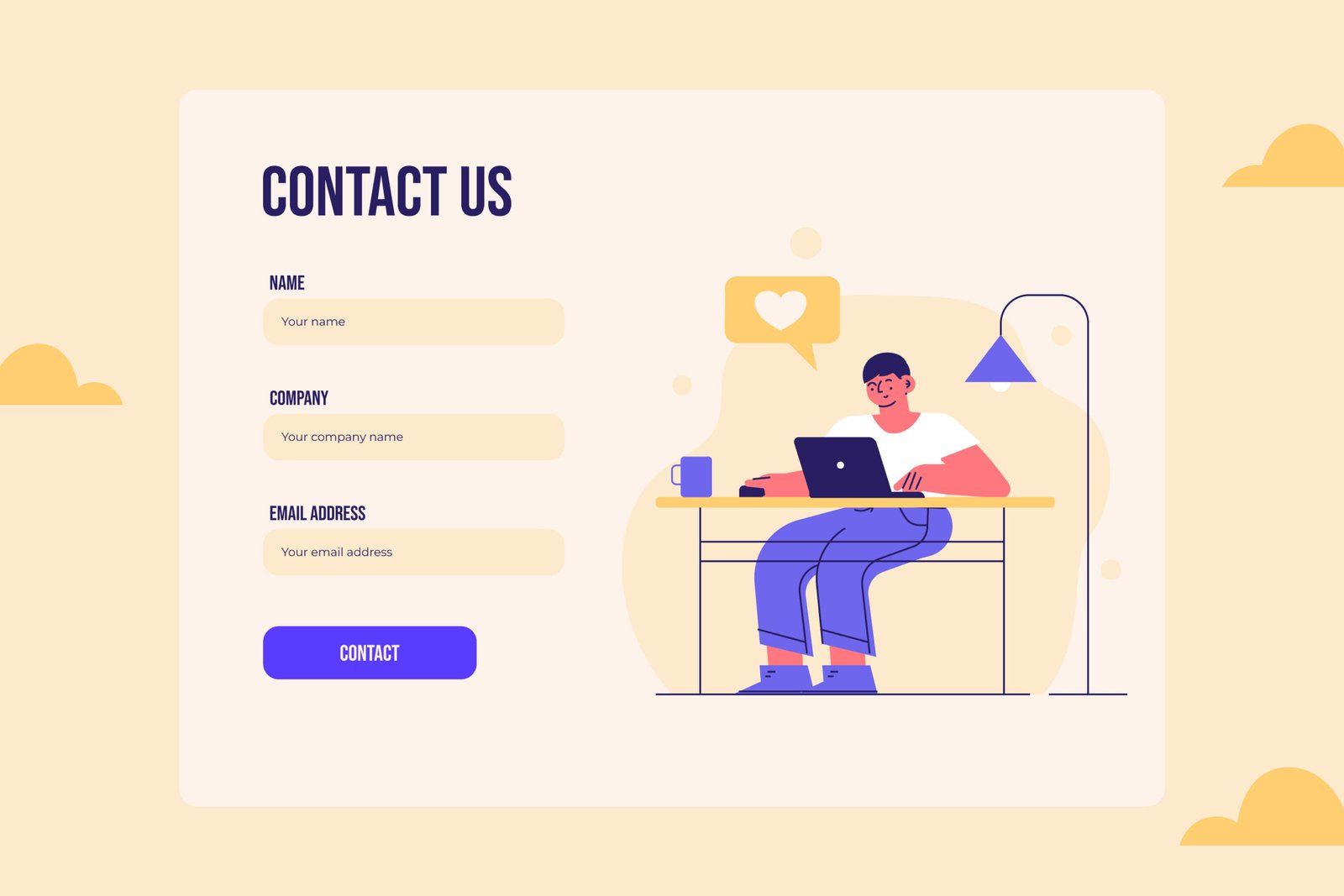
    contact form is one of the most essential components of any modern website. It allows visitors to inquire, request quotes, share feedback, or connect with brands quickly and conveniently. Whether you are a digital marketing agency, a website development company, or a business aiming to boost online engagement, a well-built contact form improves communication and enhances user experience.

    In this guide, we’ll break down how to implement a contact form on a website step-by-step, along with best practices to ensure usability, security, and conversion optimization. This article is especially valuable for businesses working with the best digital marketing agency Hyderabad, the best performance marketing agency in India, or any team collaborating with the Best SEO agency in India for website enhancements.


    1. Choose the Right Method for Creating a Contact Form

    Before implementing the form, choose the most suitable method based on your website type and technical skills.

    a) Using HTML + Backend Script

    If your site is custom-built, you can create your form using:

    • HTML (for structure)
    • CSS (for styling)
    • PHP/Node.js/Python (for sending form data via email or storing it)

    This method gives full customization.

    b) Using a CMS Plugin (WordPress etc.)

    If you run a WordPress site, plugins make the process extremely easy:

    • Contact Form 7
    • WPForms
    • Gravity Forms

    A website development company often prefers plugins for faster deployment.

    c) Using No-Code Builders

    Platforms like Wix, Webflow, and Shopify offer drag-and-drop form builders.

    This method requires zero coding and is ideal for beginners.


    2. Structure Your Contact Form with Essential Fields

    Your contact form should be simple, intuitive, and optimized for conversions. Here are the essential fields:

    • Name
    • Email
    • Phone Number (optional / based on business type)
    • Message or Inquiry Box

    If you’re collaborating with a digital marketing agency or the Best SEO agency in India, they will recommend keeping fields minimal to avoid drop-offs.

    Optional Fields to Enhance Lead Quality

    • Service Type
    • Budget Range
    • Preferred Contact Time

    For example, the best performance marketing agency in India may add “Project Budget” to filter high-quality leads.


    3. Add User-Friendly Design and UX Enhancements

    A good contact form should be visually appealing and easy to navigate.

    Best UX Practices

    • Use clear labels above every field
    • Add placeholder text like “Enter your email”
    • Keep spacing comfortable
    • Use a contrasting “Submit” button
    • Add icons for email, phone, etc.

    Designing a form is not just a technical task but also a marketing strategy. This is why many businesses hire a website development company or a digital marketing agency to ensure the form aligns with brand colors, fonts, and layout.


    4. Implement Backend Processing to Handle Submissions

    Once the front-end design is ready, set up backend logic to receive, process, and store form submissions.

    Typical Backend Tasks

    • Validate input (check for empty fields, email format, phone number pattern)
    • Sanitize inputs to prevent malicious code
    • Send the form data to your email inbox
    • Optionally store it in a CRM or database
    • Show a “Thank you” message or redirect to a success page

    For websites handled by the best digital marketing agency Hyderabad or top developers, this is often automated with advanced spam filters and database integration.


    5. Add Validation for Better User Experience

    Validation ensures users submit correct and complete information.

    Types of Validation

    • Frontend validation (JavaScript): Instant error messages like “Email is required”
    • Backend validation: Double-check data before processing

    Proper validation reduces junk submissions and improves lead quality.


    6. Secure Your Contact Form

    Security is non-negotiable. Poorly configured forms can attract spam or hacking attempts.

    Key Security Practices

    • Use CAPTCHA or reCAPTCHA
    • Limit submissions per IP
    • Sanitize inputs to avoid SQL injection
    • Use HTTPS

    A Best SEO agency in India will confirm that a secure website improves rankings, as Google prioritizes safe browsing experiences.


    7. Integrate Your Form with CRM or Email Marketing

    To manage leads efficiently, integrate your form with:

    • HubSpot
    • Mailchimp
    • Zoho CRM
    • Google Sheets

    Businesses partnering with a best performance marketing agency in India often automate lead nurturing by connecting forms with email workflows.


    8. Test the Contact Form Before Publishing

    Testing ensures everything works smoothly.

    Test for:

    • Field input errors
    • Email delivery
    • Spam protection
    • Mobile responsiveness
    • Browser compatibility

    A professional website development company always performs multiple rounds of testing to avoid losing leads.


    9. Monitor Performance and Optimize

    After publishing, track your form’s performance:

    • Submission rate
    • Drop-off fields
    • Load time
    • Spam rate

    Optimization is ongoing, and a smart digital marketing agency will adjust fields, CTA copy, button color, or placement to improve conversions.


    Conclusion

    Implementing a contact form is more than adding fields to a page—it’s a strategic step that improves communication, boosts conversions, and enhances trust. Whether you do it yourself or hire experts like a digital marketing agency, the best digital marketing agency Hyderabad, the best performance marketing agency in India, or a professional website development company, following the steps above ensures your form is secure, user-friendly, and highly effective. With proper structure, validation, security, and optimization, your contact form can become one of the strongest lead-generation tools for your business—exactly what the Best SEO agency in India recommends for long-term growth.

    digital marketing agency, best digital marketing agency hyderabad, best performance marketing agency in india, website development company, Best SEO agency in india, Best Shopify development company In India