Tag: website development company

  • How to use schema markup for SEO

    How to use schema markup for SEO

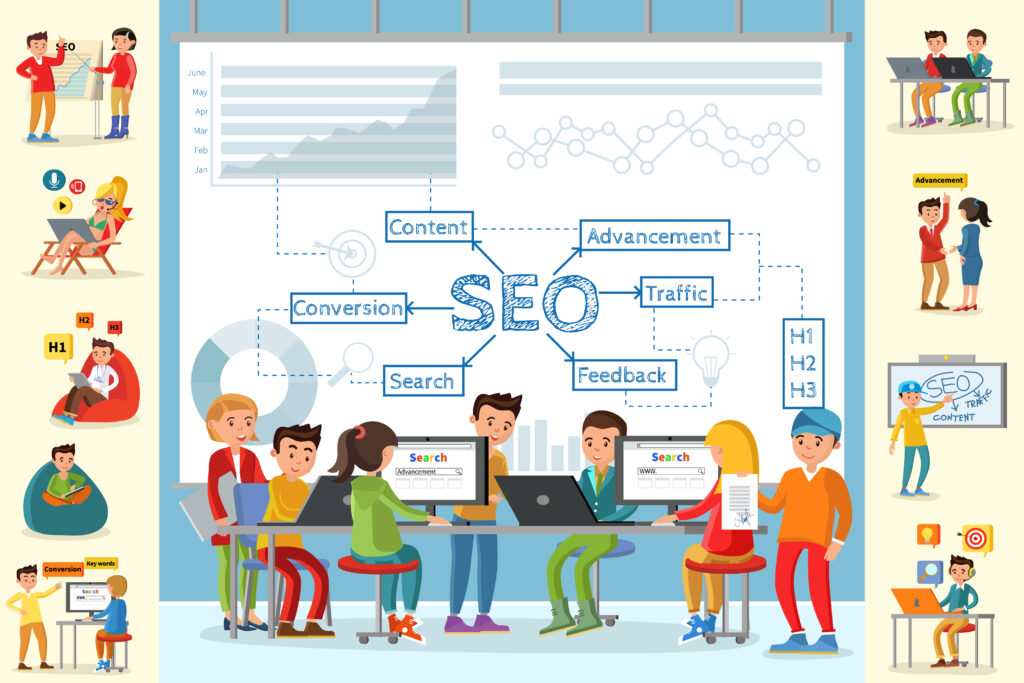
    schema markup for SEO: In today’s competitive digital world, ranking high on Google requires more than just keywords and backlinks. One of the most powerful yet underused on-page SEO techniques is schema markup. Whether you’re a digital marketing agency, a website development company, or a business owner optimizing your own site, schema markup can significantly improve your visibility, click-through rate, and overall search performance. Even the Best SEO agency in India uses schema as an essential part of technical SEO.
    schema markup for SEO

    What Is Schema Markup?

    Schema markup is a form of structured data code added to a website to help search engines better understand your content. It uses a vocabulary called Schema.org, supported by Google, Bing, Yahoo, and Yandex. When implemented correctly, schema markup enhances your search results with rich snippets, such as:

    • Ratings
    • FAQs
    • Product details
    • Organization info
    • Event details
    • Recipe data
    • Article enhancements

    These rich results make your website more appealing and informative in SERPs, helping you stand out—something the best performance marketing agency in India always prioritizes.

    Why Schema Markup Matters for SEO

    Schema doesn’t directly increase rankings, but it boosts search visibility, CTR, and user experience, which indirectly improve SEO. Some benefits include:

    ✔ Better Understanding by Search Engines

    Google better understands page context, improving indexing.

    ✔ Enhanced Search Results

    Rich snippets attract more clicks compared to plain text results.

    ✔ Higher CTR

    More clicks from SERPs lead to improved ranking signals.

    ✔ Improved Local SEO

    Local Business schema helps businesses get featured with address, phone number, and working hours.

    This is why every leading digital marketing agency uses schema markup as a standard practice.


    How to Use Schema Markup for SEO

    1. Choose the Right Type of Schema

    Schema.org provides hundreds of markup types. Start by selecting the one that best suits your content:

    • Article Schema – for blogs, news, guides
    • Product Schema – for eCommerce product pages
    • FAQ Schema – for Q&A-style content
    • Local Business Schema – ideal for a local service-based website development company or salon, clinic, agency
    • Review Schema – for testimonials and ratings
    • Service Schema – for agencies offering digital services
    • Breadcrumb Schema – for website navigation clarity

    If you’re a digital marketing agency Hyderabad, using Local Business schema can help you stand out in local search results.


    2. Generate Schema Markup Using Tools

    You don’t have to be a coder to create schema markup. Tools like:

    • Google’s Structured Data Markup Helper
    • JSON-LD Schema Generator by Merkle
    • RankMath or Yoast (WordPress plugins)

    automate the process.

    Most experts—including the Best SEO agency in India—prefer JSON-LD format, as recommended by Google.


    3. Add the Schema to Your Website

    Once you generate the JSON-LD code:

    If you use WordPress:

    • Add via RankMath, Yoast, or Schema Pro
    • Paste into header/footer using Insert Headers and Footers plugin

    If you use custom-built sites:

    Paste the code inside the <head> section of your HTML.

    A skilled website development company can implement schema across thousands of pages automatically using templates.


    4. Test Your Schema Before Publishing

    Before going live, test your structured data using:

    • Google Rich Results Test
    • Schema.org Validator

    These tools reveal code errors, missing fields, or formatting issues.

    Testing ensures the markup will be recognized by Google—something any best performance marketing agency in India would never skip.


    5. Monitor Schema Performance in Google Search Console

    After implementing schema, go to Google Search Console and check:

    • Enhancements → Rich Results
    • Error reports
    • Impressions gained
    • CTR improvements

    Tracking performance helps you identify which schema types boost visibility and which pages need correction. Any experienced digital marketing agency will include schema monitoring in their SEO routines.


    Best Schema Types to Improve SEO Quickly

    ✔ FAQ Schema

    Boosts visibility and may help secure more space in SERPs.

    ✔ How-To Schema

    Great for tutorial-style content.

    ✔ Product Schema

    Displays price, availability, ratings—ideal for eCommerce.

    ✔ Review Schema

    Shows star ratings to improve CTR.

    ✔ Local Business Schema

    Essential for ranking in local searches and Google Maps.

    ✔ Article Schema

    Helps blogs get better indexing and visibility.

    Whether you are the Best SEO agency in India or a small startup, using these schema types can dramatically improve your SEO results.


    Tips for Using Schema Effectively

    • Avoid spammy markup or adding schema irrelevant to your content.
    • Keep your data accurate and updated.
    • Use automated schema deployment for large websites.
    • Combine schema with strong technical SEO for better results.
    • Revalidate your schema after every major website update.

    Conclusion

    Schema markup is one of the most effective SEO strategies for enhancing your website’s search presence. It helps Google understand your content, increases click-through rates, and gives you a competitive edge. Whether you are a digital marketing agency, a local business, or a website development company, schema markup is essential for modern SEO success. Even the best digital marketing agency Hyderabad and the Best SEO agency in India rely on structured data to maximize visibility and conversions.

    digital marketing agency, best digital marketing agency hyderabad, best performance marketing agency in india, website development company, Best SEO agency in india, Best Shopify development company In India


  • How to use Google Search Console for website health

    How to use Google Search Console for website health

    Google Search Console (GSC) is one of the most powerful free tools offered by Google to monitor, maintain, and improve your website’s overall health. Whether you are a digital marketing agency, a website development company, or even the best performance marketing agency in India, Google Search Console helps ensure your site is performing well in Google Search. It also provides valuable insights that even the Best SEO agency in India relies on to boost rankings, fix issues, and optimize content.

    Google Search Console

    In this article, you’ll learn how to use Google Search Console effectively for checking and improving your website’s health.


    1. Add and Verify Your Website

    Before accessing GSC insights, you must add and verify your website.

    Steps:

    1. Visit Google Search Console.
    2. Choose “Domain” or “URL Prefix.”
    3. Verify ownership using DNS records, HTML file upload, Google Analytics, or Google Tag Manager.

    Verification ensures that only authorized individuals—including teams from a digital marketing agency or a website development company—can access the website’s data.


    2. Monitor Website Performance

    The “Performance” section shows how your website appears in Google search results.

    Key metrics:

    • Clicks – Total clicks from Google Search.
    • Impressions – How often your site appears in search results.
    • CTR (Click-Through Rate) – The percentage of users clicking your result.
    • Average Position – Your ranking in search results.

    A Best SEO agency in India uses this section daily to understand which keywords drive traffic, which pages are underperforming, and where optimization is needed.

    How it helps website health:

    • Identify pages losing traffic.
    • See ranking drops quickly.
    • Optimize pages with low CTR but high impressions.

    3. Check Index Coverage Report

    The Index Coverage Report is one of the most important sections in Google Search Console for website health.

    What it shows:

    • Indexed pages
    • Errors
    • Warnings
    • Excluded pages

    Common issues include:

    • Server errors (5xx)
    • Redirect errors
    • Crawled but not indexed
    • Blocked by robots.txt

    Fixing these issues ensures Google can properly crawl and index your website. This is critical for a website development company to ensure the technical foundation is solid.


    4. Fix Mobile Usability Issues

    Mobile responsiveness is now a major ranking factor.

    Google Search Console shows common mobile issues such as:

    • Text too small to read
    • Clickable elements too close
    • Content wider than screen

    For any digital marketing agency or best digital marketing agency Hyderabad, mobile optimization is essential because most users browse through smartphones.

    How it improves website health:

    • Enhances user experience
    • Reduces bounce rate
    • Boosts rankings on mobile searches

    5. Inspect URLs for Errors

    The URL Inspection Tool allows you to check the health of individual pages.

    You can:

    • See if the page is indexed
    • Request indexing
    • View coverage and mobile usability issues
    • Check last crawl date

    A Best SEO agency in India uses this while publishing new blog posts or landing pages to speed up indexing and identify issues immediately.


    6. Analyze Core Web Vitals

    Core Web Vitals measure loading speed, responsiveness, and visual stability.

    They include:

    • LCP (Largest Contentful Paint)
    • FID (First Input Delay) — now replaced by INP
    • CLS (Cumulative Layout Shift)

    This section highlights pages that load slowly or provide a poor user experience. A best performance marketing agency in India monitors these metrics because they directly affect conversions and ad performance.


    7. Monitor Security Issues

    Google Search Console alerts you if:

    • Malware is detected
    • Your website is hacked
    • Unsafe content appears

    For any business, especially a website development company, ensuring a secure website is crucial for trust and SEO.


    8. Track Backlinks

    Backlinks play a major role in SEO.
    GSC shows:

    • Who is linking to your website
    • Most linked pages
    • Anchor texts

    A digital marketing agency uses this report to analyze backlink quality and remove harmful ones.


    9. Submit Sitemaps

    Submitting your XML sitemap helps Google understand your website structure and index it faster.

    How it helps:

    • Ensures new pages are quickly discovered
    • Helps pages that were previously not indexed
    • Improves overall crawlability

    Any website development company should submit a sitemap immediately after launching a new website.


    10. Discover Manual Actions

    If Google penalizes your website for spammy practices, you will see it under the “Manual Actions” tab.

    This is crucial because unresolved penalties can destroy rankings.
    The Best SEO agency in India constantly checks this to ensure the site follows Google’s guidelines.


    Conclusion

    Google Search Console is an essential tool for maintaining website health and growth. Whether you’re working with a digital marketing agency, the best digital marketing agency Hyderabad, the best performance marketing agency in India, or a professional website development company, GSC provides all the insights needed to optimize performance, enhance SEO, and fix technical issues.

    By regularly monitoring performance, indexing, mobile usability, Core Web Vitals, and security issues, you can ensure your website stays strong, visible, and ready to rank higher in Google search results.

    digital marketing agency, best digital marketing agency hyderabad, best performance marketing agency in india, website development company, Best SEO agency in india, Best Shopify development company In India

  • How to use Figma or Adobe XD for web design planning

    How to use Figma or Adobe XD for web design planning

    web design planning: In today’s digital world, creating a well-planned website is essential for any brand, whether it’s a growing startup, a digital marketing agency, an eCommerce store, or a service-based company. Figma and Adobe XD are two of the most powerful tools used by UI/UX designers and website development company teams worldwide. They help streamline the creative process, improve collaboration, and ensure a smooth transition from concept to actual development. If you’re working with the best digital marketing agency Hyderabad, the best performance marketing agency in India, or even the Best SEO agency in India, mastering these tools will significantly improve the results of your web projects.

    web design planning

    Below is a complete guide on how to use Figma or Adobe XD for effective web design planning.


    1. Start with Research and Strategy

    Before opening Figma or Adobe XD, it’s important to understand the project goals. Define the website’s purpose, audience, brand identity, and expected user flow. Whether you are a digital marketing agency building landing pages or a website development company designing a multi-page platform, research helps ensure the design aligns with business objectives.

    Steps:

    • Identify your target audience and their needs
    • Analyze competitor websites
    • Create a sitemap that outlines all necessary pages
    • Determine your brand style—colors, typography, tone

    Both Figma and Adobe XD allow you to create mood boards directly inside the platform, helping your team visualize the website style before designing.


    2. Create Wireframes for Structure

    Wireframes are the backbone of web design. They show the layout, page structure, and placement of elements without focusing on aesthetics.

    Using Figma:

    • Use the “Frame” tool to create screens for desktop and mobile
    • Add shapes for headers, buttons, sections, and banners
    • Arrange components to visualize the website hierarchy

    Using Adobe XD:

    • Use Artboards to create different page sizes
    • Drag basic UI elements from the built-in library
    • Maintain spacing and alignment using smart guides

    Wireframes act as a blueprint that both designers and developers can follow. Even the best performance marketing agency in India relies on structured wireframes to ensure landing pages convert better.


    3. Build High-Fidelity Mockups

    Once the wireframe is approved, convert it into a high-fidelity design and apply real colors, fonts, images, and branding.

    In Figma:

    • Create reusable components (buttons, forms, cards)
    • Set up design styles for colors and typography
    • Import brand assets and apply them to sections

    In Adobe XD:

    • Use the Component feature for reusability
    • Apply grids to create pixel-perfect designs
    • Add shadows, gradients, and interactive elements

    High-fidelity mockups help clients visualize the final design and share feedback instantly. When a digital marketing agency works on conversions-focused pages, these mockups help validate user experience before coding.


    4. Use Prototyping for User Flow Planning

    Prototyping is one of the strongest features of both tools. It allows you to simulate how the final website will behave.

    Figma Prototyping:

    • Connect buttons to relevant pages
    • Add hover interactions
    • Create scroll effects and micro-animations

    Adobe XD Prototyping:

    • Add transitions like slides and fades
    • Use auto-animate for smooth motion effects
    • Create navigation links between screens

    Prototypes help clients and stakeholders understand the user journey. Brands hiring the Best SEO agency in India or a website development company often check prototypes to ensure the website structure is optimized for both users and search engines.


    5. Real-Time Collaboration and Feedback

    Figma is known for its exceptional collaboration features. Multiple teammates can edit the same design in real-time. Adobe XD also offers co-editing and cloud file sharing.

    Benefits:

    • Faster approvals
    • Instant feedback
    • Fewer redesign mistakes
    • Smooth communication between designers and developers

    A digital marketing agency that handles high-volume projects can greatly benefit from collaborative design environments, reducing project delays and improving efficiency.


    6. Developer Handoff Made Easy

    Both Figma and Adobe XD help developers translate designs into functional code.

    Features:

    • CSS, iOS, and Android code snippets
    • Inspect mode for spacing, colors, and fonts
    • Downloadable assets for website development

    This makes the development phase smoother, especially when working with a website development company that needs clarity on each design element.


    7. Consistency Through Design Systems

    If your brand regularly builds websites, landing pages, or marketing materials, a design system ensures consistency.

    Using components in Figma or Adobe XD, you can create:

    • Color palettes
    • Typography sets
    • Button styles
    • Icons
    • Reusable layouts

    Even the best digital marketing agency Hyderabad uses design systems for large-scale branding and web design projects.


    Conclusion

    Figma and Adobe XD are essential tools for planning, designing, and delivering high-quality websites. Whether you’re part of a digital marketing agency, the best performance marketing agency in India, a website development company, or the Best SEO agency in India, these tools enhance creativity, improve collaboration, and streamline the entire web design process. By using wireframes, mockups, prototypes, and design systems, businesses can build visually appealing, user-friendly, and conversion-focused websites that drive real results.

    digital marketing agency, best digital marketing agency hyderabad, best performance marketing agency in india, website development company, Best SEO agency in india, Best Shopify development company In India

  • How to track user behavior on a website

    How to track user behavior on a website

    track user behavior: Understanding how visitors interact with your website is essential for improving user experience, boosting conversions, and optimizing your marketing campaigns. Whether you run a business website, an eCommerce store, or a service-based platform, tracking user behavior helps you make data-driven decisions. Many businesses partner with a digital marketing agency, a website development company, or even the best performance marketing agency in India to implement proper tracking strategies. In this guide, you will learn the most effective ways to track user behavior on your website.

    track user behavior

    1. Set Up Google Analytics (GA4)

    Google Analytics is the most widely used tool for tracking website behavior. GA4, Google’s latest version, provides advanced event-based tracking that gives deeper insights into user journeys.

    What You Can Track Using GA4:

    • Page views
    • Scroll depth
    • Button clicks
    • Conversions
    • Traffic sources
    • User engagement metrics (session duration, events, interactions)

    By integrating GA4, you can understand which pages users visit most, where they exit, and which marketing channels drive the highest-quality traffic. Most businesses take help from the best digital marketing agency Hyderabad or a certified analytics expert to ensure all events are set up correctly.


    2. Use Heatmaps and Scroll Maps

    Heatmap tools like Hotjar, Crazy Egg, and Microsoft Clarity visually show how users interact with your website.

    Heatmaps Help You See:

    • Where users click the most
    • Which areas get ignored
    • How far users scroll
    • Which sections capture attention

    These insights allow you to optimize page layouts, reposition call-to-action buttons, and improve overall user experience. A professional website development company often uses heatmap data to redesign pages for better conversions.


    3. Install Session Recording Tools

    Session recording tools allow you to watch how users navigate your website in real time. They reveal user frustrations, navigation errors, and behavior patterns.

    With session recordings, you can identify:

    • Where users get stuck
    • Why they abandon forms
    • What confuses them
    • How they move through key pages

    This helps you refine your UX strategy and increase conversions.


    4. Track Conversion Funnels

    A conversion funnel tracks the steps users take before completing a goal—such as signing up, purchasing, or submitting a form. Understanding each stage of the funnel allows you to pinpoint where users drop off.

    Important Funnel Stages to Track:

    • Landing page
    • Product or service page
    • Add to cart or inquiry page
    • Checkout or lead form
    • Thank you page

    The best SEO agency in India often uses funnel tracking data to optimize organic traffic performance and ensure visitors move smoothly toward conversions.


    5. Use UTM Parameters for Marketing Campaigns

    UTM parameters help you track where your traffic is coming from and which campaigns perform best. When running ads or promoting content on social media, always attach UTM tags to your links.

    UTM Tags Track:

    • Campaign name
    • Source (Facebook, Google, email, etc.)
    • Medium (CPC, banner, referral)
    • Content type

    This data helps the best performance marketing agency in India measure ROI from paid campaigns and refine targeting strategies.


    6. Enable Event Tracking for Clicks and Interactions

    Event tracking allows you to monitor user actions beyond just page views.

    Events You Should Track:

    • Button clicks
    • Video plays
    • Form submissions
    • PDF downloads
    • Add-to-cart actions

    Custom event tracking can be set up via Google Tag Manager (GTM), which is commonly implemented by a professional digital marketing agency to ensure accurate results.


    7. Use Behavior Flow Reports

    GA4’s Behavior Flow report visually shows the paths users take from one page or event to another. It helps you understand how visitors navigate your site and where they drop off.

    Behavior Flow Helps You Identify:

    • Popular entry pages
    • High-drop-off pages
    • User interaction loops
    • Which content keeps users engaged

    This insight is essential for refining your content strategy.


    8. Track Form Analytics

    If your website collects leads, tracking form behavior is crucial. Tools like HubSpot, Typeform Insights, and Zoho Analytics help you monitor:

    • How many users start filling the form
    • Which fields are most abandoned
    • Completion rate
    • Time taken to fill forms

    A website development company can help simplify form design based on the insights you gather.


    9. Use A/B Testing for Improvements

    After understanding user behavior, you can run A/B tests to see which variations perform better. You can test:

    • Headlines
    • Button colors
    • Page layouts
    • Images
    • Offers

    A/B testing helps you make scientific decisions and boost conversions without guesswork.


    Final Thoughts

    Tracking user behavior is essential for improving performance, enhancing user experience, and boosting conversions. From Google Analytics to heatmaps, session recordings, and funnel tracking, every tool provides unique insights. Whether you collaborate with the best digital marketing agency Hyderabad, the best performance marketing agency in India, a website development company, or the Best SEO agency in India, implementing proper tracking mechanisms is crucial for long-term success.

    digital marketing agency, best digital marketing agency hyderabad, best performance marketing agency in india, website development company, Best SEO agency in india, Best Shopify development company In India

  • How to start selling products online

    How to start selling products online

    Selling products online has become one of the most effective ways to build a business, expand reach, and generate steady revenue. Whether you’re an entrepreneur, a small business owner, or someone planning to turn a hobby into a brand, the digital space offers unlimited opportunities. With the right strategy, tools, and online presence, you can start selling quickly and successfully. Many brands even partner with a digital marketing agency, website development company, or the Best SEO agency in India to scale faster. This guide explains how to start selling products online step-by-step.

    How to start selling products online

    1. Choose What You Want to Sell

    The first step is identifying the products you want to sell. This could be:

    • Physical products such as clothing, accessories, or home decor
    • Digital products like eBooks, courses, software, or templates
    • Services including consulting, coaching, or design

    To choose the right product:

    • Study market trends
    • Identify customer pain points
    • Analyze competitors
    • Select profitable, in-demand items

    If you already have a brand, refine your product list based on audience needs.


    2. Define Your Target Audience

    Selling online becomes far easier when you know who your customers are. Define:

    • Age, location, and interests
    • Buying behaviour
    • Problems they need solved
    • Platforms they spend time on

    A best performance marketing agency in India can help you study audience behavior, interests, and online purchase patterns so you can create offers that convert.


    3. Select the Right Online Selling Platform

    There are multiple options to start selling online:

    a) Your Own E-Commerce Website

    This gives you the most control. You can create a Shopify, WooCommerce, or custom-built website. Most businesses hire a professional website development company to build a fast, secure, and mobile-friendly e-commerce store.

    b) Online Marketplaces

    Platforms like Amazon, Flipkart, Meesho, Etsy, and Snapdeal offer ready traffic. This is great for beginners but comes with selling fees and less brand control.

    c) Social Media Platforms

    Instagram, Facebook, and WhatsApp are prime platforms for product sales. With good content and paid ads, you can start selling within minutes.


    4. Build a Professional Website

    A website gives credibility, trust, and long-term branding. Consider including:

    • Clean UI/UX
    • Secure payment gateways
    • Product categories and filters
    • High-quality images and videos
    • Customer reviews
    • Fast loading time

    A professional website development company ensures your site is optimized for performance and conversions.

    Also, your website must be SEO-friendly. Partnering with the Best SEO agency in India helps you attract organic traffic through keyword research, blog content, backlinks, and technical optimization.


    5. Set Up Payment and Shipping

    Make buying easy and smooth:

    • Integrate payment gateways like Razorpay, PayPal, PhonePe, Stripe, or Paytm
    • Choose reliable courier partners such as Delhivery, DTDC, Blue Dart, or India Post
    • Offer multiple delivery and COD options

    Clear refund and return policies also build customer trust.


    6. Create High-Quality Product Listings

    Your product listing determines whether a visitor becomes a buyer. Make sure to include:

    • Attractive product titles
    • Compelling descriptions
    • Clear pricing
    • Multiple high-resolution images
    • In-use videos
    • Customer reviews

    Optimize your listings using keywords, a strategy recommended by every digital marketing agency and top e-commerce consultants.


    7. Drive Traffic Through Marketing

    Even the best products won’t sell if people don’t see them. Here’s how to attract buyers:

    a) Social Media Marketing

    Platforms like Instagram, Facebook, and YouTube help showcase products visually. Paid ads, reels, and influencer collaborations work extremely well.

    b) Google Ads & Performance Marketing

    Hiring the best performance marketing agency in India helps you run profitable ad campaigns, retarget visitors, and scale your brand quickly.

    c) SEO (Search Engine Optimization)

    SEO helps your website rank on Google. The Best SEO agency in India can help with keyword ranking, blogging, and technical SEO to bring organic traffic.

    d) Email Marketing

    Nurture leads, send offers, and boost repeat sales with automated email sequences.

    e) Content Marketing

    Blogs, videos, and guides help build long-term trust with your audience.

    Marketing is crucial, and working with the best digital marketing agency Hyderabad businesses trust can dramatically accelerate growth.


    8. Provide Excellent Customer Support

    Your customers are your biggest promoters. Offer:

    • Quick responses
    • Easy return/replacement
    • Transparent order tracking
    • Personalized communication

    Great customer support increases repeat sales and positive reviews.


    9. Track, Analyze, and Improve

    Use tools like:

    • Google Analytics
    • Meta Ads Manager
    • Shopify Analytics
    • Hotjar

    These tools help you understand user behavior and improve your sales strategy.

    A professional digital marketing agency can analyze data and optimize campaigns for maximum ROI.


    Final Thoughts

    Starting to sell products online is easier than ever. With the right platform, strong branding, a professional website, and effective marketing, you can build a successful online business. Collaborating with experts like the best digital marketing agency Hyderabad, a trusted website development company, or the Best SEO agency in India gives you a competitive edge from the beginning.

    digital marketing agency, best digital marketing agency hyderabad, best performance marketing agency in india, website development company, Best SEO agency in india, Best Shopify development company In India

  • How to start designing and developing a website

    How to start designing and developing a website

    In today’s digital age, having a well-designed, fully functional website is essential for any business that wants to grow online. Whether you’re a startup, a small business, or an established brand, your website acts as your digital identity and helps attract potential customers. Many companies hire a professional digital marketing agency, a website development company, or even the best SEO agency in India to ensure their online presence is strong from day one. However, if you’re planning to start designing and developing a website yourself, this guide will walk you through every important step.

    How to start designing and developing a website

    1. Define Your Purpose and Goals

    Before writing a single line of code or choosing a template, you must clearly define the purpose of your website. Ask yourself:

    • What do I want this website to achieve?
    • Who is my target audience?
    • What type of content will I publish?

    Whether it’s an e-commerce website, a personal portfolio, or a business website, clarity helps you build a strong foundation. Even the best performance marketing agency in India begins every project with goal-setting to ensure the design aligns with business objectives.


    2. Choose the Right Platform

    Selecting the right platform is one of the most crucial steps. Today’s top platforms include:

    • WordPress – Perfect for blogs, business sites, and customizable projects.
    • Shopify – Best for e-commerce stores.
    • Wix / Squarespace – Suitable for beginners who prefer drag-and-drop website builders.
    • Custom Development (HTML, CSS, JavaScript) – Ideal for advanced, high-performance websites.

    A professional website development company can help you choose the right platform based on scalability, features, and long-term growth.


    3. Plan Your Website Structure

    A smart structure helps users navigate easily and improves your SEO performance. Create a simple sitemap including:

    • Home
    • About Us
    • Services / Products
    • Blog
    • Contact Us

    Good structure is not just for user experience—Google loves organized websites. That’s why even the best SEO agency in India focuses heavily on website architecture before starting design and development.


    4. Start Designing Your Website

    Design is the first thing visitors notice. Good design builds credibility and trust. Keep these principles in mind:

    ✔ Visual Consistency

    Choose consistent fonts, colors, and spacing across all pages.

    ✔ Mobile Responsiveness

    Your website must look perfect on mobiles, tablets, and desktops.

    ✔ Fast Loading

    Use optimized images and clean code to ensure fast loading speeds.

    ✔ User-Friendly Layout

    Use white space, readable fonts, and clear call-to-action buttons.

    If you want a professional, modern, and conversion-friendly design, hiring the best digital marketing agency Hyderabad or a trusted website design firm can be a smart investment.


    5. Develop the Website (Front-End & Back-End)

    Development starts after design approval. It includes:

    Front-End Development

    This involves building what users see using:

    • HTML
    • CSS
    • JavaScript
    • Frameworks (React, Vue, Angular)

    Back-End Development

    This includes server-side logic and database management using:

    • PHP
    • Node.js
    • Python
    • SQL

    A skilled website development company ensures both parts work smoothly together, offering a seamless user experience.


    6. Add SEO-Optimized Content

    Content is the heart of your website. Write relevant, keyword-rich content for every page. Follow these tips:

    • Use clear headings and subheadings
    • Add internal and external links
    • Maintain proper keyword density
    • Include high-quality images
    • Add FAQs and blogs

    Even the best digital marketing agency Hyderabad prioritizes SEO content creation because it improves search rankings, drives organic traffic, and increases conversions.


    7. Integrate Essential Tools & Plugins

    To enhance website performance, security, and tracking, integrate important tools such as:

    • Google Analytics – Tracks visitors and user behavior
    • Google Search Console – Helps with indexing and SEO insights
    • Security Plugins (e.g., Wordfence, Sucuri)
    • Cache Plugins for speed optimization
    • Forms & Chat Widgets for lead generation

    These tools are recommended by every digital marketing agency for improving user experience and online visibility.


    8. Test Your Website Thoroughly

    Before launching, test your website for:

    • Page load speed
    • Mobile responsiveness
    • Broken links
    • Browser compatibility
    • Form submissions
    • Navigation flow

    A professional best performance marketing agency in India always conducts multiple testing rounds to catch bugs early.


    9. Launch and Maintain Your Website

    Once everything works perfectly, go live! But your work doesn’t end here. Regular website maintenance is essential:

    • Update plugins and themes
    • Publish new blog posts
    • Fix errors
    • Improve SEO
    • Monitor analytics

    Maintaining your website ensures long-term success and helps you stay ahead of competitors.


    Final Thoughts

    Starting a website may seem overwhelming at first, but with the right planning, design, development, and optimization strategy, you can build a powerful online presence. You can even partner with a professional digital marketing agency, the best digital marketing agency Hyderabad, or the best SEO agency in India to speed up the process and achieve better results.

    digital marketing agency, best digital marketing agency hyderabad, best performance marketing agency in india, website development company, Best SEO agency in india, Best Shopify development company In India

  • How to set up Google Analytics for a website

    How to set up Google Analytics for a website

    set up Google Analytics: In today’s competitive digital world, businesses rely heavily on data to make informed decisions. Whether you run a small business, an eCommerce store, or a large enterprise, understanding visitor behavior is essential for growth. This is why setting up Google Analytics is one of the first steps recommended by any digital marketing agency, website development company, or even the best performance marketing agency in India. Google Analytics provides insights into website traffic, audience behavior, conversions, and real-time performance, helping brands build powerful digital strategies.

    set up Google Analytics

    If you want your business to stay ahead, especially in competitive markets like Hyderabad—home to the best digital marketing agency Hyderabad—then you must integrate Google Analytics effectively from day one. Here is a complete, step-by-step guide to setting it up.


    Step 1: Create or Log in to Your Google Account

    Before you begin, you need a Google account. If you already use Gmail, Google Ads, or Google Search Console, that account will work perfectly.

    1. Go to the Google Analytics website.
    2. Click on Start Measuring.
    3. Sign in using your Google account.

    A professional website development company will ensure the right Google account is used, especially when handling client projects, to maintain proper access and data security.


    Step 2: Create a Google Analytics Property

    Once logged in:

    1. Enter your Account Name (usually your company name).
    2. Choose whether to share data with Google (optional).
    3. Click Next to create a Property.

    For websites, select Web as your platform. Google Analytics 4 (GA4) is now the default version, offering advanced tracking features that the Best SEO agency in India strongly recommends due to its enhanced user behavior tracking and predictive insights powered by AI.


    Step 3: Configure Your Property Settings

    You will be asked to:

    • Enter your Website Name
    • Enter your Website URL
    • Choose a Reporting Time Zone
    • Select your Currency

    These settings help Google Analytics deliver accurate data for traffic, eCommerce, and revenue tracking. A top digital marketing agency always ensures these are set correctly to avoid reporting errors later.


    Step 4: Install the Google Analytics Tracking Code

    Once your property is created, Google Analytics will generate a Measurement ID and a tracking code (Global Site Tag – gtag.js).

    To install the tracking code:

    Option 1: Add manually

    Copy the script and paste it inside the <head> section of every page of your website.

    Option 2: Use Google Tag Manager (Recommended)

    Google Tag Manager (GTM) makes tracking easy and scalable.

    • Go to Google Tag Manager
    • Create a new Tag
    • Choose GA4 Configuration
    • Paste your Measurement ID
    • Publish the container

    Most businesses prefer hiring a website development company or the best performance marketing agency in India to handle analytics installations via GTM because it ensures error-free implementation.


    Step 5: Verify Your Tracking Setup

    After installing the tracking code:

    1. Go to Google Analytics
    2. Open Reports → Realtime
    3. Visit your website in another tab

    If you see active users on your site, the installation is successful.

    This verification step is crucial. Even the best digital marketing agency Hyderabad double-checks real-time data to ensure all analytics events are firing properly.


    Step 6: Set Up Conversion Tracking

    Conversions help measure business success—whether it’s:

    • Form submissions
    • Button clicks
    • Purchases
    • Calls
    • Lead downloads

    In GA4, conversions are event-based. You can mark any event as a conversion inside the dashboard.

    If you want advanced conversion tracking—like scroll depth, engagement rate, form abandonment, or eCommerce tracking—partnering with a leading digital marketing agency or the Best SEO agency in India ensures accurate and optimized setups.


    Step 7: Connect Google Analytics with Other Tools

    To maximize performance tracking, integrate Analytics with:

    ✔ Google Search Console

    Helps track organic keywords and website performance.

    ✔ Google Ads

    Essential for running data-driven ad campaigns.

    ✔ Google Tag Manager

    Improves event tracking and tag management.

    ✔ CRM Tools

    Enhances customer journey mapping.

    These integrations are standard practices for every top best performance marketing agency in India.


    Step 8: Create Custom Dashboards & Reports

    GA4 allows you to build custom dashboards to track:

    • Traffic sources
    • User demographics
    • Behavior flow
    • Top pages
    • Conversion rates
    • Revenue reports

    A smart website development company or marketing expert uses these dashboards to guide growth strategies.


    Conclusion

    Setting up Google Analytics is one of the most important steps for any business that wants to grow online. Whether you manage your website in-house or work with the best digital marketing agency Hyderabad, a powerful analytics setup helps you make better decisions, reduce ad waste, and improve conversions. Even the Best SEO agency in India relies heavily on GA4 data to optimize search rankings, user experience, and content strategies.

    By following the steps above, you can easily install and configure Google Analytics and start tracking meaningful insights that will drive your business to success.

    digital marketing agency, best digital marketing agency hyderabad, best performance marketing agency in india, website development company, Best SEO agency in india, Best Shopify development company In India

  • How to set up email marketing integration on a website

    How to set up email marketing integration on a website

    Email marketing remains one of the most powerful tools for nurturing leads, driving conversions, and strengthening long-term customer relationships. Whether you run a small business, an eCommerce store, or a digital marketing agency, integrating email marketing into your website can significantly enhance your marketing performance. In today’s competitive digital era, even the best digital marketing agency Hyderabad, the best performance marketing agency in India, and the Best SEO agency in India strongly emphasize seamless email marketing integration to boost brand engagement and website conversions.

    email marketing

    This article gives you a complete, easy-to-follow guide on how to set up email marketing integration on your website.


    1. Choose the Right Email Marketing Platform

    Before integrating email marketing into your website, you must choose a reliable email marketing platform. Popular options include Mailchimp, HubSpot, Klaviyo, ConvertKit, ActiveCampaign, and Sendinblue.

    While selecting a platform, consider:

    • Automation capabilities
    • Segmentation options
    • Ease of integration
    • Deliverability rates
    • Support for website forms and pop-ups

    A professional website development company or a digital marketing agency can help you choose the best tool based on your website structure and marketing goals.


    2. Create an Email List & Segments

    Once your platform is set up, the next step is to create your email list. An email list contains contacts who subscribe through your website. For effective marketing, segmentation is crucial. Segments allow you to send personalized and targeted emails.

    You can segment users based on:

    • Behavior (pages visited, products viewed)
    • Interests (categories or services)
    • Demographics
    • Lead source (organic search, ads, referrals)

    Segmentation is a strategy that even the Best SEO agency in India recommends to improve email engagement and ROI.


    3. Add Signup Forms to Your Website

    Signup forms are the backbone of email marketing integration. They collect visitor information in exchange for valuable content like newsletters, discounts, or free guides.

    Types of signup forms:

    • Embedded forms (on homepage, sidebar, or blog)
    • Pop-up forms triggered by behavior
    • Floating bars
    • Slide-in forms
    • Contact forms linked with automation

    Your website development company can embed these forms directly using HTML code or plugins depending on your CMS (WordPress, Shopify, Webflow, etc.).

    Key tips:

    • Keep the form simple (name + email)
    • Highlight the value (“Get 10% OFF” or “Join our newsletter”)
    • Add GDPR or consent checkboxes if required
    • Use mobile-friendly forms for better conversions

    4. Integrate Using Plugins, APIs, or Native Tools

    Integration depends on your website platform:

    a. WordPress

    Use plugins like:

    • Mailchimp for WP
    • HubSpot WordPress Plugin
    • Elementor Forms + Email API
    • ConvertKit Plugin

    b. Shopify

    Use Shopify’s in-built email signup or integrate third-party tools through the app store.

    c. Custom-coded websites

    You may need API integration. A trusted website development company or digital marketing agency can handle the backend connection securely.


    5. Connect Forms to Email Automation Workflows

    Once the form is active, connect it to your automation workflows such as:

    • Welcome email series
    • Abandoned cart reminders
    • Lead nurturing drips
    • Thank-you emails
    • Product recommendation sequences

    Automation is essential for businesses aiming to scale efficiently. This is why the best performance marketing agency in India focuses on creating automated email flows that work 24/7.


    6. Design High-Converting Email Templates

    After integration, your emails should look professional and on-brand. Use drag-and-drop builders provided by your email marketing platform.

    Key elements of a good email:

    • Mobile-friendly design
    • Clear headlines
    • Strong CTAs (Call-To-Actions)
    • Personalization
    • Relevant content
    • Brand colors and tone

    A digital marketing agency can help you design templates that increase engagement and reduce unsubscribe rates.


    7. Track User Behavior Using Analytics

    To measure performance, integrate analytics tools like:

    • Google Analytics
    • Facebook Pixel
    • Email platform analytics
    • Heatmap tools

    With analytics, you can track:

    • Signup rate
    • Email open rate
    • Click-through rate
    • Conversion rate
    • Revenue from email campaigns

    This is also an area where the Best SEO agency in India plays a vital role in linking website behavior with email interactions to improve overall customer journeys.


    8. Add Lead Magnets to Boost Subscriptions

    A lead magnet gives users a reason to join your email list.

    Examples:

    • Free eBooks
    • Discount coupons
    • Product samples
    • Free consultations
    • Webinar access
    • Checklists or templates

    Lead magnets significantly increase sign-ups and help businesses scale faster.


    9. Test Everything Before Going Live

    Before launching, test:

    • Form submissions
    • Automations
    • Email delivery
    • Mobile responsiveness
    • Trigger-based workflows

    Testing ensures smooth functioning and a flawless experience for your visitors.


    Conclusion

    Setting up email marketing integration on your website is one of the smartest ways to grow your audience, boost engagement, and increase sales. Whether you work with a digital marketing agency, the best digital marketing agency Hyderabad, the best performance marketing agency in India, or a reliable website development company, email marketing remains a core part of any strong marketing ecosystem. With the right tools, templates, automations, and analytics, your business can leverage email marketing as a long-term, high-ROI strategy.

    digital marketing agency, best digital marketing agency hyderabad, best performance marketing agency in india, website development company, Best SEO agency in india, Best Shopify development company In India

  • How to set up email addresses with your domain

    How to set up email addresses with your domain

    Setting up email addresses with your own domain is one of the smartest ways to build trust, look professional, and strengthen your brand identity. Whether you’re a growing digital marketing agency, a startup, a freelancer, or a large enterprise, having branded emails like info@yourdomain.com or support@yourdomain.com makes communication more credible. Many businesses, including the best digital marketing agency Hyderabad, the best performance marketing agency in India, or even a website development company, rely on domain-based emails for client communication and branding.

    How to set up email addresses with your domain

    This guide will walk you through how to set up email addresses using your domain name, the tools you need, and the best practices to follow.


    1. Choose Your Email Hosting Provider

    To create email addresses with your domain, you need an email hosting service. Depending on your requirements and budget, you can choose from:

    ✔ Google Workspace

    One of the most popular business email solutions. It provides Gmail-style inboxes with your own domain, plus storage, Google Drive, and professional tools.

    ✔ Microsoft 365 (Outlook)

    Perfect for companies that need business-class email and Microsoft Office tools like Word, Excel, and Teams.

    ✔ Zoho Mail

    An affordable solution that is widely used by small businesses, freelancers, and even the Best SEO agency in India.

    ✔ Hosting Provider Email (cPanel Email)

    Most web hosting providers offer free email accounts with your domain. Perfect for beginners.


    2. Connect Your Domain to the Email Provider

    Regardless of whether you are a digital marketing agency or a website development company, your email provider must verify that you own the domain before you can use it.

    Steps to verify your domain

    1. Log in to your domain registrar (GoDaddy, Namecheap, Hostinger, Bluehost, etc.).
    2. Open DNS settings or DNS Zone Editor.
    3. Add the required TXT record shared by your email service provider.
    4. Wait for DNS propagation (usually 5–30 minutes but can take up to 24 hours).

    Once verified, you will be allowed to create email accounts under your domain.


    3. Update MX Records for Email Delivery

    MX (Mail Exchange) records decide where emails are delivered for your domain. Your email hosting platform will provide MX records that you must paste into your DNS panel.

    General Process

    • Delete old MX records (if any).
    • Add new MX records provided by Google, Zoho, Outlook, etc.
    • Set priority values exactly as instructed.
    • Save changes and wait for DNS propagation.

    If the MX records are correctly set, your domain email will start receiving messages.


    4. Create Your Domain Email Accounts

    Once DNS verification is complete, you can start creating email addresses such as:

    Businesses like the best digital marketing agency Hyderabad or the best performance marketing agency in India often use multiple department-specific email accounts to maintain professionalism and streamline communication.


    5. Set Up Email Access (Gmail, Outlook, Mobile Apps)

    After creating email accounts, you need to configure them for sending and receiving emails.

    Ways to access your domain email

    ✔ Webmail Panel
    Accessible via URLs like yourdomain.com/webmail.

    ✔ Gmail or Outlook App
    Use IMAP/POP3 and SMTP credentials provided by your hosting or email provider.

    ✔ Mobile Email Apps
    Both Android and iOS support domain email setups using IMAP settings.

    This helps teams in a digital marketing agency or Best SEO agency in India manage communication on the go.


    6. Set Up SPF, DKIM, and DMARC for Security

    To avoid your emails landing in spam, you must configure these records:

    ✔ SPF (Sender Policy Framework)

    Protects your domain from unauthorized sending.

    ✔ DKIM (DomainKeys Identified Mail)

    Adds a digital signature to prove emails are from your domain.

    ✔ DMARC (Domain-based Message Authentication Report & Conformance)

    Gives you complete control over email authentication and reports spoofing attempts.

    These security practices are essential for any business—especially for agencies that send large volumes of emails such as newsletters, proposals, marketing campaigns, and client reports.


    7. Best Practices for Managing Domain Emails

    Here are some expert tips used by top agencies:

    ✔ Use professional naming conventions

    firstname@yourdomain.com
    support@yourdomain.com

    ✔ Enable 2-Step Verification

    Prevents unauthorized access.

    ✔ Keep your inbox clean

    Improve performance by organizing emails with labels and filters.

    ✔ Monitor storage

    Many email platforms charge extra once you exceed your storage limit.

    ✔ Regularly update passwords

    Security should always be a priority.

    Businesses like the best performance marketing agency in India or any reputable website development company always follow these email hygiene practices.


    Conclusion

    Setting up email addresses with your own domain is essential for brand credibility, security, and communication efficiency. Whether you’re a freelancer or running a large digital marketing agency, branded emails elevate your professionalism and help build trust. Even the best digital marketing agency Hyderabad, the Best SEO agency in India, and renowned tech companies rely on domain-based emails to stay organized and secure.

    By selecting the right email hosting provider, verifying your domain, updating MX records, and following best security practices, you can set up reliable, professional email communication for your business within minutes.

  • How to reduce bounce rate on a website

    How to reduce bounce rate on a website

    A high bounce rate is one of the biggest indicators that your website is not engaging visitors effectively. When users land on your site and leave without exploring further, it affects search rankings, conversions, and overall business growth. Whether you are a digital marketing agency, a startup, or a growing brand, improving user engagement should be your top priority. Even the best digital marketing agency Hyderabad, the best performance marketing agency in India, or any leading website development company focuses strongly on reducing bounce rates to improve ROI.

    How to reduce bounce rate on a website

    In this guide, we will explore proven strategies to bring down your bounce rate and keep users on your site longer.


    1. Improve Page Load Speed

    Slow websites kill user interest instantly. Studies show that if a page takes more than 3 seconds to load, over 50% of users will leave. To avoid this, make sure your site loads fast across all devices.

    How to improve speed:

    • Compress and optimize images
    • Use a lightweight theme
    • Minify CSS, HTML, and JavaScript
    • Enable browser caching
    • Use a CDN

    A skilled website development company or the Best SEO agency in India always prioritizes site speed as one of the biggest ranking and engagement factors.


    2. Make Navigation Simple and Clear

    When users struggle to find what they need, they leave. Simple navigation encourages visitors to explore more pages on your site.

    Best practices include:

    • Use a clear menu structure
    • Add a visible search bar
    • Avoid cluttered layouts
    • Keep important pages accessible within 1–2 clicks

    Effective navigation builds trust and increases the time users spend on your site.


    3. Ensure Mobile-Friendliness

    More than 70% of website traffic now comes from mobile devices. If your site isn’t mobile-friendly, your bounce rate will naturally be high.

    How to optimize for mobile:

    • Use responsive design
    • Optimize tap targets
    • Reduce pop-ups
    • Improve readability

    Top agencies like the best performance marketing agency in India always emphasize mobile-first design because it directly impacts conversions.


    4. Improve Content Quality and Relevance

    Users bounce when they don’t find what they are looking for. To keep them engaged, your content must be relevant, valuable, and easy to understand.

    Focus on:

    • Clear headlines
    • High-quality visuals
    • Well-structured paragraphs
    • Updated and accurate information
    • Engaging storytelling

    A strong content strategy is what differentiates the best digital marketing agency Hyderabad from ordinary agencies.


    5. Use Strong Internal Linking

    Internal links guide users to more pages, reducing bounce rate and improving SEO. Well-planned internal linking helps users navigate effortlessly while increasing page views and dwell time.

    Tips:

    • Link related blogs
    • Add call-to-action buttons
    • Use contextual linking naturally

    This is a strategy every Best SEO agency in India uses to keep visitors engaged.


    6. Avoid Intrusive Pop-Ups and Ads

    Nothing frustrates users more than irrelevant pop-ups and excessive ads. These distractions not only increase bounce rate but also damage brand reputation.

    Better alternatives include:

    • Exit-intent pop-ups
    • Slide-in CTAs
    • Minimal, non-intrusive ad placement

    7. Improve Website Design and Visual Appeal

    People judge your website within seconds. A modern, clean, and visually appealing design helps build trust.

    Design best practices:

    • Use a consistent color theme
    • Add sufficient white space
    • Use high-quality graphics
    • Ensure font readability
    • Keep layouts clean and modern

    A professional website development company can implement such design improvements for better user engagement.


    8. Add Clear Calls-To-Action (CTAs)

    If your users don’t know what to do next, they leave. CTAs guide them to take action—explore a product, read a blog, or sign up.

    Make sure your CTAs are:

    • Visible
    • Action-oriented
    • Relevant to the page content
    • Designed with contrasting colors

    This ensures a smoother user journey and reduces bounce rate significantly.


    9. Target the Right Audience

    If your traffic is not relevant, visitors will bounce regardless of how good your website is. That’s why audience targeting is important.

    A reputed digital marketing agency or the best performance marketing agency in India always focuses on bringing the right audience through precise targeting, keyword research, and optimized campaigns.


    10. Analyze and Optimize Using Tools

    Use tools like:

    • Google Analytics
    • Hotjar
    • Search Console
    • Microsoft Clarity

    These help you identify user behavior, hotspots, and pages with high bounce rates. Continuous monitoring and optimization can significantly boost engagement and conversions.


    Final Thoughts

    Reducing bounce rate is a combination of strong content, fast loading speed, clean design, and targeted traffic. Whether you work with a digital marketing agency, partner with the Best SEO agency in India, or hire the best digital marketing agency Hyderabad, the goal remains the same—create a seamless and engaging user experience.

    Implement these proven strategies, and you will notice a significant improvement in user engagement, search rankings, and conversions.

    digital marketing agency, best digital marketing agency hyderabad, best performance marketing agency in india, website development company, Best SEO agency in india, Best Shopify development company In India